The Death of the 3-2-1 Rule: Enter 3-2-1-1-0
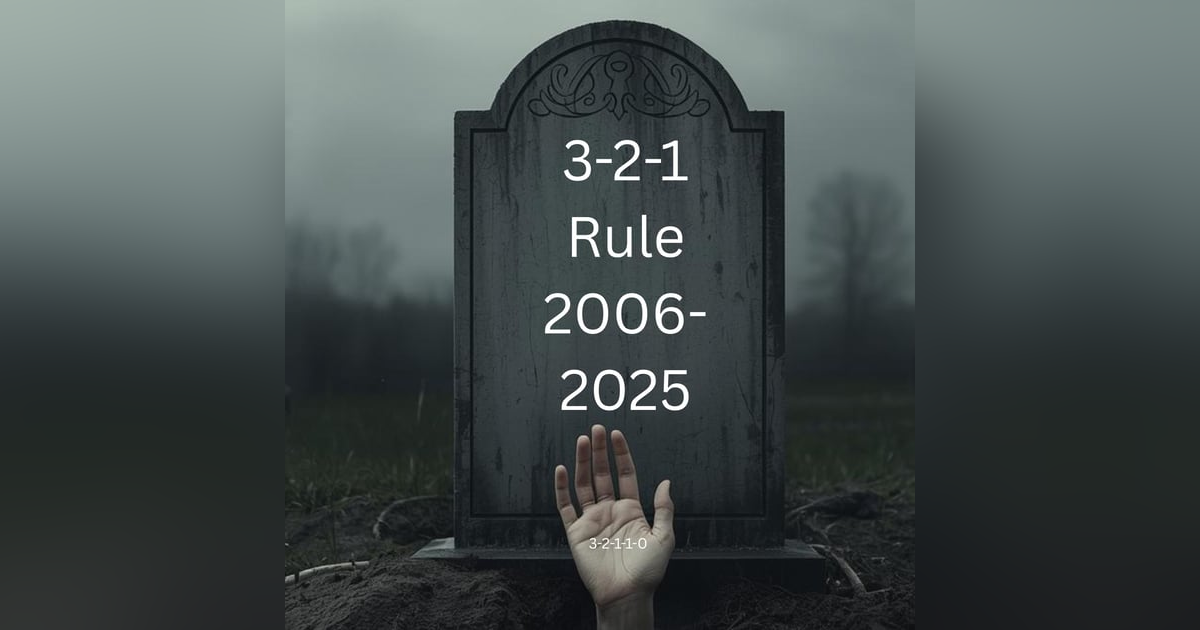


The 3-2-1 rule is dead. Long live 3-2-1-1-0. For decades, the 3-2-1 rule has been the gold standard for backup strategies - three copies of your data, on two different media, with one copy somewhere else. But ransomware killed it. Not because the fundamentals were wrong, but because threat actors learned to target backups specifically. In this episode, Curtis and Prasanna explain why the traditional 3-2-1 rule isn't enough anymore and what the evolution to 3-2-1-1-0 means for your backup strategy. The extra "1" stands for one immutable, air-gapped copy that attackers can't delete or encrypt. The "0" means zero failures - your backups must actually work when you need them. You'll learn why SaaS platforms don't meet the 3-2-1 rule, how to think about immutability in the cloud era, and why this upgrade isn't optional if you want to survive a ransomware attack.
Our interview with Peter Krogh, the one who coined the term:
https://www.backupwrapup.com/peter-krogh-who-coined-the-3-2-1-rule-on-our-podcast/
You found the backup wrap up your go-to podcast for all things
Speaker:backup recovery and cyber recovery.
Speaker:In this episode, we're declaring the death of the 3, 2, 1 rule.
Speaker:Sort of the 3, 2, 1 rule has been a foundation of backup,
Speaker:uh, best practices since.
Speaker:The nineties, but it's time to admit that it's not quite enough.
Speaker:Ransomware has changed everything.
Speaker:Threat actors are going after your backups too.
Speaker:So the 3, 2, 1 rule had to evolve.
Speaker:It's now 3, 2, 1, 1 0.
Speaker:We'll break down what those extra numbers mean and why immutable
Speaker:and air gap copies are now.
Speaker:Non-negotiable and why?
Speaker:Zero backup failures matters more than ever.
Speaker:By the way, if you don't know who I am, I'm w Curtis Preston, AKA, Mr.
Speaker:Backup, and I've been passionate about backup and recovery for over 30 years.
Speaker:That's a long time ever since I had to tell my boss there were no backups of that
Speaker:production database that we just lost.
Speaker:I don't want that to happen to you, and that's why I do this.
Speaker:On this podcast, we turn unappreciated admins into cyber recovery heroes.
Speaker:This is the backup wrap up.
Speaker:Welcome to the show.
Speaker:Hi, I am w Curtis Preston, AKA, Mr. Backup, and I have with me a guy who
Speaker:I used to think was smart until he told me the story he just told me.
Speaker:Prasanna Malaiyandi how's it going?
Speaker:Prasanna.
Speaker:I am good and I, I'm glad I am bringing you to reality rather than
Speaker:putting me up on a pedestal with all
Speaker:So, so what did you just tell me?
Speaker:Why did you have a, a cut on your forehead?
Speaker:Yeah.
Speaker:So for people who, by the way, we do YouTube, so the podcast, if you want to
Speaker:Yeah, if you wanna watch this on YouTube or, yeah, yeah.
Speaker:Yeah.
Speaker:wrap up channel.
Speaker:You can watch us there.
Speaker:But, uh, well, yeah, when I was younger, I decided I wanted to be like,
Speaker:you know, all those wrestlers, like where they're like, girl, and then
Speaker:they crush the can on their forehead.
Speaker:Yeah, you did that and
Speaker:So I had an empty can and I was like, oh yeah, that's cool.
Speaker:I'll try that too.
Speaker:Yeah, let's just say that
Speaker:no bueno.
Speaker:up with the cut.
Speaker:Yeah.
Speaker:Yeah, we of course, started this conversation because of this little
Speaker:gash on my forehead due to just my inability to navigate me, me
Speaker:trying to prove, once again, prove.
Speaker:A fundamental law of physics, you know, that no two objects can occupy
Speaker:the same space at the same time.
Speaker:Y you know, I think someone's just moving stuff around on you,
Speaker:Curtis, I think like, like yeah.
Speaker:Things jumping out and places you don't expect.
Speaker:I think someone's messing with
Speaker:I wish I could blame that on this.
Speaker:Unfortunately, this, you know, this was a shelf.
Speaker:A shelf which I mounted.
Speaker:Yeah.
Speaker:So I can't really blame moving around stuff, but.
Speaker:It's
Speaker:Uh, yeah, but speaking of moving around stuff, move, you know,
Speaker:the 3, 2, 1 rule has been moved around a bit, I think, you know?
Speaker:what is a 3, 2, 1 rule?
Speaker:Yeah.
Speaker:Let's start with that.
Speaker:And, and I would say that it is like, you know, first off, um, let,
Speaker:let's, let's just say I, I would say it's one of the most fundamental
Speaker:sort of concepts in backup, right?
Speaker:Do you remember when every episode had the 3, 2, 1 rule in it?
Speaker:Yeah.
Speaker:Yeah.
Speaker:It, it came up a lot.
Speaker:Right.
Speaker:Um, and so, and, and, and, and we've, it's somewhat morphed over time in terms
Speaker:of what we, what the 3, 2, 1 means.
Speaker:Um, uh, but, but let's just start with it.
Speaker:You know, it's three copies of your data on two different media.
Speaker:One of which is somewhere else.
Speaker:Um, and that we used to say, one of which is offsite.
Speaker:I've changed that to somewhere else because that, that sort of
Speaker:goes with the cloud concept, right?
Speaker:By the way, if you wanna listen to more about where the 3, 2, 1 rule came from.
Speaker:We actually did an episode with the person who created the
Speaker:Yes.
Speaker:Yeah.
Speaker:The coin, Peter.
Speaker:It, was it Kro?
Speaker:I think it's pronounced Kro.
Speaker:Um, it's K-R-O-G-H-I believe.
Speaker:Uh, yeah, with the guy that coined the term, he, he was a, or is a
Speaker:digital photographer, coined the term back in the nineties and we
Speaker:actually had him on the podcast.
Speaker:That was very cool.
Speaker:I'll put a link to that in the, uh, in the podcast.
Speaker:And, and he was just trying to help.
Speaker:Um.
Speaker:Uh, you know, digital photographers do the right thing and, and we're like,
Speaker:yes, we like this right thing, you know?
Speaker:And, and, and, and the thing is, it should be more just like what
Speaker:we're gonna talk about today.
Speaker:It, it's like a very basic, like if you, if you aren't at least doing
Speaker:this, you aren't doing backups.
Speaker:Yeah,
Speaker:Um, it, it's not like this is like the way to architect a backup system.
Speaker:This is if you don't have at least three copies of your data, if you don't have
Speaker:at, on at least two pieces of media and at least one of them somewhere
Speaker:else, you, you just, what, what?
Speaker:Don't even, don't even talk to me.
Speaker:Right.
Speaker:Um, where, where do we, where do we end up using this rule A lot as a
Speaker:sort of a proof point to say, well, you are not doing backups, do you?
Speaker:Do you remember where that comes up A lot.
Speaker:I think this came up when we started looking at like SaaS backups.
Speaker:Yeah, or just what, or, or the non-existence thereof.
Speaker:Right.
Speaker:Um, right, because there, there are so many people, it's like, uh.
Speaker:I, I found, I, I have found myself arguing with people online, you know?
Speaker:I,
Speaker:Uh,
Speaker:laughing 'cause I think one of the first times, maybe like six months
Speaker:after we met, or maybe a year after we
Speaker:yeah,
Speaker:I remember you going on this rant how frustrated you were with Microsoft.
Speaker:yeah,
Speaker:Claiming Microsoft 365 need backup.
Speaker:Yeah.
Speaker:And there was, there, there was, and is a guy that.
Speaker:Actually is a Microsoft 365 expert, and he wrote a book about Microsoft 365 and I
Speaker:bought it just to see what he had to say.
Speaker:And literally it was like the fir, the chapter on backup basically
Speaker:said, strictly speaking, you don't need to backup Microsoft 365.
Speaker:And I was like, ah.
Speaker:Right.
Speaker:Um.
Speaker:And, and again, it's not, it's nothing against Microsoft 365.
Speaker:It is.
Speaker:Just to go to the, to this topic, you're your, your, your, your copies as I make
Speaker:quotes in the air aren't copies, number one, it it, like, it doesn't, it doesn't
Speaker:conform to any of the 3, 2, 1 rule.
Speaker:Right?
Speaker:So you're, you're, there aren't multiple copies.
Speaker:There are, there can be versioning within, uh, within.
Speaker:365, but your copies aren't copies.
Speaker:Why aren't they copies?
Speaker:Because, well, one of two things.
Speaker:One, they either rely on something else, like they're part of production,
Speaker:right?
Speaker:right.
Speaker:Uh, so as an example, if you're
Speaker:using Recycle bin to hold your copies or whatever else,
Speaker:right?
Speaker:It's still part of the same production database.
Speaker:And
Speaker:so you have that issue or the fact that like these are things that
Speaker:you don't have access to as back.
Speaker:Up admin.
Speaker:Yeah, it's, yeah, it's, it is multiple things, right?
Speaker:Like you said, it's, it's not, well, it's not a copy 'cause it's not a copy, right?
Speaker:It's not, it's all, everything's all in, in one place.
Speaker:It's not, you're not actually taking a copy of it and putting that copy
Speaker:on some other piece of storage.
Speaker:If you copy yes, if you go on your hard drive.
Speaker:And, um, or your drive, I guess, you know, it's not always a hard drive these days,
Speaker:but usually not a hard drive these days.
Speaker:If you go on your laptop and you right click, uh, on your, your, uh, your, your
Speaker:drive and you say, copy this file and then paste it, you've, you've, you've
Speaker:essentially made a copy of the file
Speaker:Mm-hmm.
Speaker:you at least have a separate.
Speaker:Um, instance of that file that is a copy, it's not yet a backup.
Speaker:Yep.
Speaker:What's the difference between a copy and a backup?
Speaker:It's on something else.
Speaker:It's still
Speaker:Yeah,
Speaker:next to your production.
Speaker:yeah.
Speaker:That's the, that's the whole 3, 2, 1.
Speaker:You know, if you just make a bunch of copies.
Speaker:And you don't separate those copies from the drive, right?
Speaker:So this is like, you could do three copies, but all on the same drive.
Speaker:You don't really have a backup at that point.
Speaker:You need to put it on a, another drive,
Speaker:It's
Speaker:right?
Speaker:about NAS systems, right?
Speaker:And one of my former employers, right?
Speaker:Yeah,
Speaker:okay.
Speaker:You can do snapshots of your production volume, which is great.
Speaker:You
Speaker:yeah.
Speaker:versions, like you said, but typically those snapshots lived with the production.
Speaker:So if you
Speaker:Yeah.
Speaker:volume or you lost the system, you lost your copies.
Speaker:And those are not copies, right?
Speaker:Those are, those are virtual copies.
Speaker:But you know, you were saying it sits on the same thing.
Speaker:It, it's relying on the storage.
Speaker:So that's not a copy at all.
Speaker:So that doesn't follow the 3, 3, 2, 1 rule.
Speaker:Right?
Speaker:So, uh, usually when, so my point is that usually when we use the 3, 2,
Speaker:1 rule as a cudgel these days, we're using it to just basically prove, it's
Speaker:like look snapshots by themselves.
Speaker:Are not backups, SaaS, uh, you know, recycle bin, uh, et cetera, et cetera,
Speaker:retention policies in Microsoft 365, which is like a fancier version of
Speaker:the, um, of the, um, recycle bin.
Speaker:You can say, Hey, uh, you know, you can't, you know, every object, which
Speaker:is a term would, that would include emails, files, spreadsheets, et cetera.
Speaker:Every object has to be retained for at least 30 days or 90 days, whatever.
Speaker:You could create a retention policy that every.
Speaker:Object once it's created, is retained for at least 90 days,
Speaker:um, even after its deletion.
Speaker:And you can say that, uh, that copy while being stored is immutable, right?
Speaker:You can say that it cannot be deleted out of that, that thing, right?
Speaker:Um, but that it, it's all, it really is, is a big fancy database.
Speaker:With a, with a, with a, you know, it's, it's a special purpose database.
Speaker:It hold that holds the emails, it holds the files, it holds all of that.
Speaker:Uh, and so you're not copying anything anywhere.
Speaker:, If you're not copying it anywhere, it's not a backup.
Speaker:It's a, it's a convenience copy.
Speaker:Just like the copying and pasting a file within the same hard drive.
Speaker:Okay, so Microsoft would argue that with Exchange or with Microsoft 365,
Speaker:Yeah.
Speaker:replicate their data
Speaker:Yep,
Speaker:offsite location,
Speaker:yep,
Speaker:Secondary, just in case something happens to the primary data center,
Speaker:A and,
Speaker:your service.
Speaker:and that replication has a delay in it, right?
Speaker:So it is a delayed, replicated copy, which is great.
Speaker:The only problem is you get no access to that.
Speaker:Right.
Speaker:So, and I've verified this as a customer of a very large company,
Speaker:paying, you know, a crap ton of money every month to Microsoft.
Speaker:Say, Hey, let's say somebody obliterated a, you know, we
Speaker:obliterated a user within 365 or ransomware attacked a user within 365.
Speaker:Could we use that delayed copy?
Speaker:As a method to restore it.
Speaker:And the answer was an emphatic no.
Speaker:That is not what it's for,
Speaker:Yep.
Speaker:It's, it's there for, um, um, what do you call it?
Speaker:It's there for the, essentially dr for them, right?
Speaker:If the, if the, which is good to know, right?
Speaker:That they do have DR for their, um, you know, for their environment.
Speaker:Uh, but it, it's not for you, right?
Speaker:and, and I think that's important to understand as you're going from workloads.
Speaker:On systems that you own, that you operate,
Speaker:Right,
Speaker:versus SaaS you now have this split responsibility model,
Speaker:and you might have to do additional things in the SaaS environments that
Speaker:you think you don't have to do, but it's actually more important that
Speaker:you do backup being one of them.
Speaker:Yeah.
Speaker:And, and if you, if you don't have access to that backup, you do.
Speaker:If you don't have independent control over that backup, then
Speaker:you don't really have a backup.
Speaker:Right?
Speaker:So this is what the 3, 2, 1 rule is about, right?
Speaker:Is that, is that we, we, we need to make another copy.
Speaker:That copy needs to be in your hot little hands, not necessarily physically.
Speaker:Right in your hot little hands.
Speaker:It could be in the cloud, it could be in an, it just needs to be
Speaker:somewhere else again, and, and, because in the SaaS world, they
Speaker:don't even conform to the two, right?
Speaker:They don't conform to the three, they don't conform to the two, and they
Speaker:definitely don't conform to the one, which is why we end up using the 3, 2, 1
Speaker:rules of cudgel for saying that the stuff, the stuff that they do is not a backup.
Speaker:Yep.
Speaker:Um, and so while the title might of this podcast might have suggested
Speaker:that the 3, 2, 1 rule is dead, it, it's not, it, it still has a purpose.
Speaker:Um, and that is, and, and the purpose that it serves primarily is it's a
Speaker:cudgel to say, Hey, that's not a, that's, those aren't backups at all.
Speaker:but, but why does it matter to say that those are not backups,
Speaker:Well.
Speaker:does that matter
Speaker:Yeah.
Speaker:That's a great, yeah, because again, if something happens, specifically the
Speaker:number one reason people are restoring these days, ransomware, if a ransomware
Speaker:attack attacks your 365 account and you're unable to use your backups,
Speaker:uh, to put everything back, uh, then why, why were you even making them?
Speaker:Right.
Speaker:The the other thing, and, and, and again, this isn't so much on the 3, 2,
Speaker:1 rule, but the other thing is that.
Speaker:The other thing about, especially when we talk about 365 and, and similar
Speaker:products, the, the thing they have that, that some people think of as backup,
Speaker:it also is really bad at Restore.
Speaker:Right.
Speaker:Just functionality wise.
Speaker:Yeah.
Speaker:It's good at bringing back a handful of files or a handful of emails that
Speaker:you were looking for, but in terms of put my inbox back to the way it looked
Speaker:before this thing happened, it just simply doesn't have that functionality.
Speaker:I,
Speaker:it's a bit more like an e-discovery tool or an
Speaker:archive like system rather than a backup and restore tool.
Speaker:Right, right.
Speaker:Um, so.
Speaker:Why then?
Speaker:So if, if we still think that it has value, why then do
Speaker:people say 3, 2, 1 rule is dead.
Speaker:People like Rick Vanover over at
Speaker:I, I, I was,
Speaker:Veeam.
Speaker:well, I remember when was on the podcast
Speaker:Yeah,
Speaker:he was, I think he added a few extra numbers
Speaker:yeah,
Speaker:2, 1, right.
Speaker:yeah.
Speaker:He has indeed, in fact.
Speaker:When I was researching for this podcast, uh, you know, nobody ever actually
Speaker:visits the, uh, the site anymore.
Speaker:You just get the, the Google summary, right?
Speaker:Um, and, uh.
Speaker:But, but in the Google summary, this is new.
Speaker:I've actually never seen this until just now.
Speaker:In the Google summary, there was a video, uh, and it was, it was rickatron
Speaker:doing the 3, 2, 1, 1 0 on the, on the, uh, the, the glass, uh, thing.
Speaker:Nice.
Speaker:and I was like, oh, look at, look at Rick.
Speaker:He's, he's popular enough that he shows up in the, in the thing there.
Speaker:The question that was on the table was, why do people say that
Speaker:the 3, 2, 1 rule is not enough?
Speaker:Because 3, 2, 1 is good for most cases, but things have changed.
Speaker:I know you alluded to it earlier that most of the time when you're
Speaker:recovering, it's due to a cybersecurity
Speaker:incident or ransomware or something else like that,
Speaker:where just having that one copy offsite is not good enough.
Speaker:Well, it, it's not just that it's offsite, it, the, the big thing
Speaker:is that it needs to be immutable.
Speaker:Right.
Speaker:That's the thing that we really, you know, in my first shoot, my first
Speaker:25 years in the backup space, I don't recall ever using that term.
Speaker:I
Speaker:did.
Speaker:You did.
Speaker:I did, yes, but it was more intended from a compliance perspective.
Speaker:So it was
Speaker:around like Sarbanes Oxley and
Speaker:those sort of requirements rather than backup and
Speaker:yeah, and that shows sort of your journey versus my journey, right?
Speaker:I was focused mainly on backup and recovery and, um, the, um, uh, what's
Speaker:funny is I, I do remember a lot of SOCS compliance stuff that we had to do, but.
Speaker:I, I think we, we still didn't use that term.
Speaker:Right.
Speaker:Uh, let's just, again, let's define the term immutable.
Speaker:Immutable just literally means that it cannot be changed, right?
Speaker:And this is true that cybersecurity incidents, AKA ransomware usually,
Speaker:um, is I think the number one reason that people do restores these days.
Speaker:And since that's the case, and since we know that the first thing that a
Speaker:ransomware, a threat actor is going to do is attempt to disable your backup
Speaker:system, um, the, this is why the first thing, the, the next thing you need to be
Speaker:adding to that 3, 2, 1 is that at least one of your copies needs to be immutable.
Speaker:Now, do you wanna define immutable?
Speaker:So immutable means that you're not able to delete the copy.
Speaker:No one can really delete the copy before a certain time period has elapsed.
Speaker:So you might say, okay, keep the copies around for three months and before three
Speaker:months, and admin can't go delete it.
Speaker:Uh, malicious actor can't go delete it.
Speaker:The system doesn't allow you to delete it unless you basically go and.
Speaker:Pull the drives out and
Speaker:Yeah.
Speaker:on it,
Speaker:Yeah.
Speaker:giant drill.
Speaker:'cause nothing is immutable if you have physical access.
Speaker:Yep.
Speaker:Right.
Speaker:Um,
Speaker:yeah.
Speaker:Immutable just means it can't be changed.
Speaker:Right.
Speaker:But when we talk about this world, essentially, I think the
Speaker:only thing that's truly immutable is if no one can change it.
Speaker:Meaning you can't change it even if you have all super powerful
Speaker:admin access to the system.
Speaker:If you can still change your mind and then, and then delete it, then that's
Speaker:not really immutable, in my opinion.
Speaker:Or change a retention period
Speaker:Or ch Yeah.
Speaker:Change of retention period, which then causes it to be deleted.
Speaker:Right.
Speaker:If you can do that after the fact, you know, if you turn the, the, if you, if you
Speaker:go to the super, you know, extra special level, then that's not really immutable.
Speaker:Now there are some, uh, systems where.
Speaker:You know, I know that you know where the normal customer can't delete
Speaker:it, and so there are some system situations where a vendor has the
Speaker:ability to go in and delete it.
Speaker:That's, I have less of a problem with that, but it's still not truly immutable.
Speaker:If you can still, if there's still a back door, even if the back door has
Speaker:lots of humans in front of it, right?
Speaker:Humans can be engineered,
Speaker:Yep.
Speaker:That's exactly what I was thinking about
Speaker:was especially with AI out there and
Speaker:People being able to do deep fakes and other things like that.
Speaker:It is a possibility.
Speaker:yeah, I, I, I think that really the way to do it is to have, you know,
Speaker:to, to use something like object lock with, with object storage, right?
Speaker:Where you basically say, I'm gonna put this thing here.
Speaker:It's gonna be here 90 days, or whatever number you have.
Speaker:It's gonna be here 90 days.
Speaker:And no one, including me can delete it before that timeframe.
Speaker:And I can't change my mind once I put it there.
Speaker:I can't then go, oh, 90 days, well, did I say 90 days?
Speaker:I meant, I meant three days.
Speaker:Right.
Speaker:Um, because that's another, that's another way that, that, um, a threat actor might
Speaker:delete, delete the backups by just simply telling the backups to delete themselves.
Speaker:and I think people should go research the immutable functionality of
Speaker:their storage systems because most do support two modes, One that's
Speaker:very strict, that won't allow anyone versus one that does allow
Speaker:super users to tweak things.
Speaker:So
Speaker:just make sure you understand the implications of the systems you're using.
Speaker:Thanks for bringing that up.
Speaker:It's human nature.
Speaker:To choose the less restrictive of the two options because you're
Speaker:like, I can't change my mind.
Speaker:Right?
Speaker:What happens if we have this big part of the company and then, you know,
Speaker:we have a big reduction or something, we lay off a bunch of people, we want
Speaker:to, you know, we want to whatever, whatever, whatever things stuck in your
Speaker:mind and you want to then go in and, and prematurely delete those backups.
Speaker:And so you, so you choose the less secure option.
Speaker:It's human nature to choose that.
Speaker:And I'm saying if you're able to do it, that means a threat actor can
Speaker:possibly do it if they're able to get in with, you know, a stolen credential
Speaker:and, and MFA fatigue, or they're able to exploit a, you know, some sort of
Speaker:system weakness so that boom, they are now you in the backup system,
Speaker:they can do whatever it is you can do.
Speaker:Um, then I, I, I, I don't like that idea.
Speaker:Yeah, a hundred
Speaker:Yeah.
Speaker:Yeah.
Speaker:So that's the 3, 2, 1, 1, and then the zero is just zero.
Speaker:Um, uh, failures.
Speaker:Right?
Speaker:Which sounds nice.
Speaker:Um, this is, you know, I.
Speaker:you say failures, what are you referring to?
Speaker:Because it could be backup failures, it could be storage failures, it could be
Speaker:Yeah.
Speaker:Well, it's mainly what, what, when, when Rick talks about it, he's talking
Speaker:about zero zero backup failures, right?
Speaker:The thing is backup failures happen.
Speaker:Generally speaking, they happen due to process failures today.
Speaker:It used to be that backups would fail on a very regular basis due to that
Speaker:wonderful thing we call tape, right?
Speaker:And again, there was nothing wrong with tape, it was just how we were using tape.
Speaker:Uh, and there was a fundamental mismatch of technology.
Speaker:But, uh, we've generally solved a lot of these issues
Speaker:and so.
Speaker:Backups, generally speaking work, you know and and are successful most of the time.
Speaker:You do need to make, as part of your system, you need to need to make sure
Speaker:that you are regularly monitoring the success of your backups and when they
Speaker:don't succeed, you do something about it.
Speaker:Can I add a.
Speaker:Nope.
Speaker:Sorry, that's the end of the podcast.
Speaker:Sorry.
Speaker:No, I, I think I was, as you were talking, I was thinking about sort of
Speaker:ransomware and other things like that.
Speaker:You know what?
Speaker:3 2 1 1 0 does not really capture
Speaker:What?
Speaker:the fact that there is a clean backup without any ransomware
Speaker:that exists in your system.
Speaker:Yeah.
Speaker:You know, that's a good Yeah, that, that's a good one.
Speaker:I, I like that.
Speaker:Um, and I, and I don't have an issue with that.
Speaker:Actually, it's a good point, and that may be something that, that Rick
Speaker:talks about in his, um, I guess maybe I didn't think about it, but that's
Speaker:actually a really good point, right?
Speaker:Is that you should be scanning your backups for ransomware.
Speaker:The, the, the hard part is that, um.
Speaker:A lot of times the backup itself doesn't have ransomware in it.
Speaker:What it does have is encrypted files in it.
Speaker:Um, 'cause the ransomware is the actual code that's making this happen.
Speaker:And then the encrypted files are, are, are worthless.
Speaker:Right.
Speaker:Um, I will say that when we, you know, when we wrote the book that's
Speaker:coming out in January, uh, learning ransomware and recco, uh, learning
Speaker:ransomware response and recovery, um.
Speaker:This was something we debated quite a bit about, right?
Speaker:When you go to do a restore, how do you verify that the thing that
Speaker:you're restoring to is clean?
Speaker:How do you verify the thing that you're restoring is clean?
Speaker:And the answer is, it's actually a really hard answer, right?
Speaker:Um, you do it as best as you can upfront.
Speaker:I like systems that check the backups when they're doing them.
Speaker:I like systems that check the backups as they're doing restores.
Speaker:Um, and then, uh, I think you should be checking, you hopefully.
Speaker:In the initial phase, uh, which we, you know, we covered all of the
Speaker:different phases in the book on, on.
Speaker:On actually responding to an attack, definitely early on you
Speaker:should have figured out what it was that attacked you, right?
Speaker:You should know what it is you're looking for.
Speaker:You should know the actual ransomware variant that you have, and so
Speaker:you should be able to relatively, easily, easily look for that in
Speaker:anything that you're restoring,
Speaker:Mm-hmm.
Speaker:Um, but yeah, so, so to go back to the topic at hand, 3, 2, 1, 1 0, uh, it's
Speaker:just again, 3, 2, 1 is great, uh, but it's time for it to grow up a little bit.
Speaker:Uh, if you don't have 3, 2, 1, then you don't have a backup.
Speaker:But if you don't have 3, 2, 1, 1 0, then you, um.
Speaker:You, you don't have a backup that's gonna be helpful in the time of a
Speaker:ransomware response, which is most likely gonna be the number one reason.
Speaker:Why do, why do, why did it become the number one reason besides the
Speaker:fact that ransomware took off?
Speaker:Why did, why did this become the number one reason people restore?
Speaker:What do you think?
Speaker:I have an opinion.
Speaker:well, two things.
Speaker:One is ransomware actors, right?
Speaker:They're gonna ask for ransom,
Speaker:Hmm.
Speaker:and so what's one good way not to pay the ransom is to do the recovery yourself.
Speaker:And so that's why you have your backups.
Speaker:Yeah.
Speaker:why you need that immutable copy.
Speaker:So then the second part is ransomware actors got smart and then they
Speaker:started targeting backup systems
Speaker:Yeah.
Speaker:if you can't fix stuff, then there's more likely to pay them.
Speaker:And so that's why it sort of has come under attack.
Speaker:Yeah, that, that was all very valid, wasn't what I was going for.
Speaker:Uh,
Speaker:it, it, it's just, it is just me sort of waxing philosophical,
Speaker:Yeah.
Speaker:Yeah.
Speaker:the reason why ransomware became.
Speaker:Like the number one reason is that we fixed the old number
Speaker:one reason as I was growing up.
Speaker:Technically, the, the, the number one reason we were restoring
Speaker:was technical failure, right?
Speaker:Hard drives were failing, servers were failing, and we, we
Speaker:addressed that right hardware.
Speaker:And storage has become so much more resilient that we are
Speaker:almost never restoring because the hardware itself failed.
Speaker:We are restoring you due to one of two reasons.
Speaker:One is somebody did something stupid.
Speaker:Well, actually one reason somebody did something stupid, right?
Speaker:Either they deleted something they shouldn't have deleted, or
Speaker:they clicked on something they, they shouldn't have clicked on
Speaker:or did something else that then resulted in a ransomware attack.
Speaker:Right?
Speaker:Yeah.
Speaker:And so the only reason we restore anything these days is stupid people.
Speaker:Yeah.
Speaker:No, I, I wonder like, as we're talking about the 3 2 1 1 0,
Speaker:yeah.
Speaker:and maybe Rick has stats on this, I wonder how many organizations are
Speaker:actually following 3, 2, 1, 1, 0.
Speaker:Not enough.
Speaker:It's a great question.
Speaker:You just look at all of the ransomware stories, and we have many of
Speaker:them as case studies in the book.
Speaker:So many of them are, and then the backups were then.
Speaker:Deleted or encrypted or whatever, right?
Speaker:Locked outta the backup system.
Speaker:Uh, not enough is the answer to that question.
Speaker:Um, hopefully that will change over time, but, uh, hope maybe the book, maybe the
Speaker:book will, you know, uh, solved this.
Speaker:But yeah.
Speaker:All right, well, there you go.
Speaker:3, 2, 1 rule is dead long live.
Speaker:3, 2 1, 1 0.
Speaker:Does that mean I need to update the tattoo on my arm?
Speaker:Um, yeah, you're, you're just, you.
Speaker:I never know what's gonna come outta your mouth, I tell you.
Speaker:All right.
Speaker:Well thanks.
Speaker:Thanks for chatting, Prasanna.
Speaker:I will be making my appointment with the tattoo artist as
Speaker:soon as we're off this call.
Speaker:Absolutely.
Speaker:And thanks to all of you, your 3, 2, 1 tattoos.
Speaker:Uh, by the way, if anybody's got any weird backup tattoos, I'd love to see that.
Speaker:That is a wrap.


