Backup Security Best Practices: Lessons From a Real Red Team Breach

 Apple Podcasts
 Spotify
 Castro
 RSS Feed
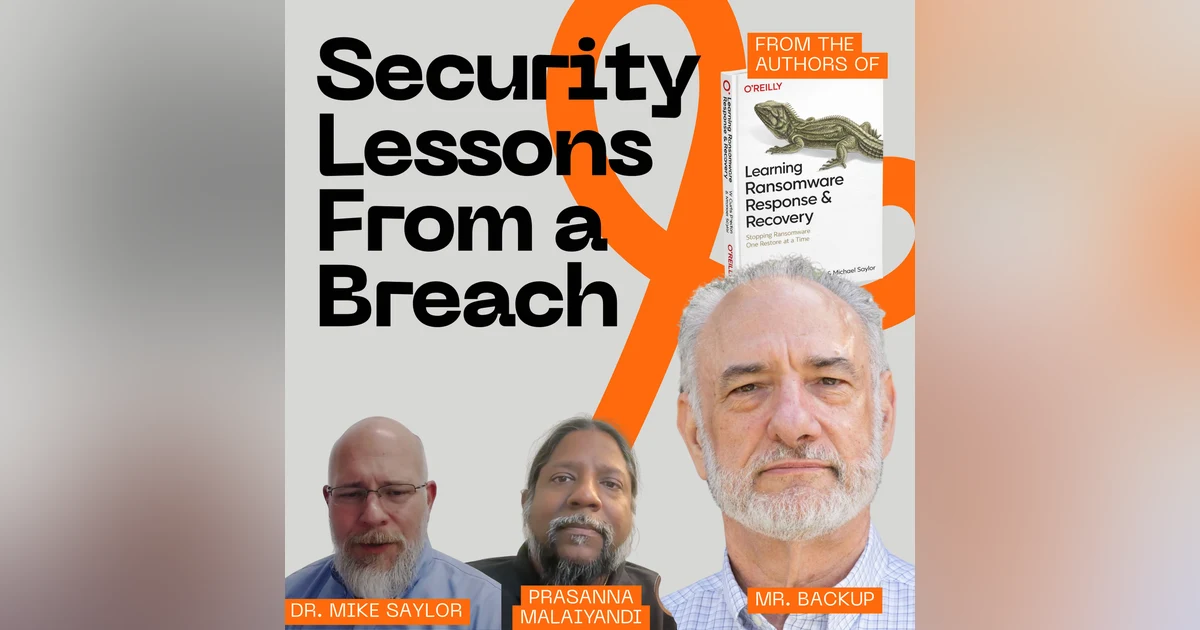
 Backup security best practices start with one uncomfortable truth: if you haven't checked your backup server for a default password, someone else might check it for you. In this episode, Prasanna and Mike Saylor join me to dig into how backup systems become the easiest way into your network — and the easiest way out for stolen data. We walk through the real story of a red teamer who used a backup server's weak credentials to restore a domain controller straight outside the company's firewall, then had the run of the place.
From there we get into the stuff that actually gets skipped: service accounts nobody's watching because they're "always on" and mostly invisible, default passwords baked into backup hardware that never get changed, and why the backup admin — usually the newest, most junior person on the team — ends up holding the keys without the security training to know what they're holding. We talk about how to find every service account you've got, how to figure out which ones actually need the privileges they've been handed, and why "it's always been that way" is exactly how breaches happen.
We close out on authentication: multi-factor authentication versus passkeys, why email one-time codes aren't the security win companies think they are, and why an authenticator app with its own PIN beats "remember this device" every time. Mike also shares a story about catching failed admin logins that turned out to be something a lot more human than a hacker — and why monitoring for those anomalies matters either way.
If you manage backup infrastructure, run a security team, or just got handed the backup admin job because nobody else wanted it, this episode is your checklist. Backup security best practices aren't complicated — they're just consistently ignored, and that's exactly what attackers count on.
Chapters:
00:00 – Cold open: the hacker on your backup server
01:34 – Welcome and episode setup
04:17 – The Duane Lafleur red team story
06:41 – Backup servers as an exfiltration risk
08:19 – Service accounts: the invisible attack surface
28:40 – Locking down the admin account
30:08 – MFA vs. passkeys for backup security
There could be a hacker working their way into your backup server right
Speaker:now, not because your firewall failed, but because nobody ever even bothered
Speaker:to change the password on the box.
Speaker:Today, Prasanna and I sit down with Mike Saylor, uh, to talk about backup
Speaker:security best practices, the stuff that most teams skip, mainly because
Speaker:backups are invisible until they're not.
Speaker:Uh, we're talking about things like default passwords on backup hardware,
Speaker:service accounts that nobody's looking at, uh, admin logins at 2:00 in the
Speaker:morning, and why passkeys beat MFA.
Speaker:There's a real story in here about a red teamer who broke into a company through
Speaker:their backup system and walked out the front door with the domain controller.
Speaker:If this is your first time watching or listening to me, I'm
Speaker:W. Curtis Preston, aka Mr. Backup.
Speaker:I've been obsessing about backup, recovery, and now cyber
Speaker:recovery for over 30 years.
Speaker:If that's your bag, then I'm your guy.
Speaker:You're not gonna find anyone that cares about this topic more than me.
Speaker:Ever since 1993 when I had to tell my boss that there were no backups of
Speaker:the database that we had just lost.
Speaker:Now I've written five O'Reilly books, a blog, and a podcast.
Speaker:Here we turn unappreciated admins into cyber recovery heroes.
Speaker:This is the Backup Wrap Up.
Speaker:Hey, welcome to the Backup Wrap Up.
Speaker:I'm your host, Debbie Curtis Preston, and today I have my two besties with me.
Speaker:We've got Prasanna, getting more gray hair every day, and Mike,
Speaker:my fellow gray-haired enthusiast.
Speaker:How's it going, Mike?
Speaker:It's going great.
Speaker:Thanks for having me, and good to catch up with you guys
Speaker:Yeah,
Speaker:have a question, Curtis
Speaker:What's that?
Speaker:Is it better to have natural gray or is it better to dye your hair?
Speaker:That's always been, like, the constant debate, and I think men typically
Speaker:don't dye versus women, right?
Speaker:I'm just going.
Speaker:All
Speaker:That's probably generalization
Speaker:Prasanna.
Speaker:Two little stories on, to answer that question.
Speaker:clearly I've gone with natural, clearly.
Speaker:and there was a minute there where I tried, some, like the kind that
Speaker:is just supposed to subtly dye your hair, before I went completely gray.
Speaker:And I did it, and my wife didn't even notice.
Speaker:So I was like, then, what's even the point?" And then the other thing was
Speaker:I was talking to her one day and I was like, my wife is Filipino for those
Speaker:that don't know, and I said, one good thing about Filipino, you guys, like
Speaker:your hair like stays black forever."
Speaker:And she looked at me and she goes, know we dye it, right?"
Speaker:It's like, "No, I had no idea."
Speaker:Oh, Curtis.
Speaker:typical dude.
Speaker:Anyway.
Speaker:All right.
Speaker:So we are back to our, series, of, g- basically working through our new book,
Speaker:that, Mike and I came out with, which is Learning Ransomware Response and Recovery.
Speaker:For those of you watching on YouTube, you can see a giant version
Speaker:of that over my shoulder there.
Speaker:And, if you're not checking us out on YouTube, you should
Speaker:definitely check out our channel.
Speaker:And of course, we also have the shorts version.
Speaker:we do 30 second to a minute and a half short clips, which are doing really well.
Speaker:and we get a lot of, get a lot of, commentary on them.
Speaker:sometimes, not good, but sometimes people have no problem with, expressing
Speaker:their opinion, to a random stranger on the internet because they're generally
Speaker:people that don't, know who we are.
Speaker:And, so they're just, they just see me making a random claim and, and then
Speaker:they wanna argue with me, which is fine.
Speaker:You want discussion?
Speaker:Yeah
Speaker:yeah, more interaction, And, any comment, even if the comment is, "You're a
Speaker:freaking idiot," it builds engagement.
Speaker:So comments are good.
Speaker:but today,
Speaker:co-host has amazing hair
Speaker:yeah.
Speaker:Yeah, I-- we did
Speaker:You talking about me?
Speaker:Yeah.
Speaker:sorry
Speaker:We did get a, we did get a comment about your hair is gorgeous.
Speaker:and I knew he was talking about you.
Speaker:but, speaking of the book, there is a, there's a quote in there from one of our
Speaker:podcast guests, which was Duane Lafleur.
Speaker:Duane is a, he's a red team person, right?
Speaker:he hacks companies on purpose for, as requested by the companies.
Speaker:I once again will mention the movie Sneakers.
Speaker:If you haven't seen it, go watch it.
Speaker:it's not, obviously it- it's movies, but it does a pretty good job
Speaker:of showing what, red teaming is.
Speaker:And, and there's a few late great actors in there, specifically, Robert Redford.
Speaker:y-
Speaker:IP
Speaker:great just, yeah.
Speaker:but, it, Duane's, Duane talked about how he loved backups, except
Speaker:not for the reason I love backups.
Speaker:And that was he loved them because, one of the things that we talk about a lot
Speaker:is that backups, because of what they are, where, you're either invisible
Speaker:or you're in trouble, because of what they are, they often go, ignored from
Speaker:a cybersecurity perspective, right?
Speaker:For a couple of reasons.
Speaker:One is nobody wants to, get their hands in there because once you
Speaker:start sticking around in the backups, somebody might ask you actually
Speaker:to be the backup person, right?
Speaker:And so there's that, and then because of that, it's often the junior person.
Speaker:So you have the junior person running backups, and the junior person is the one
Speaker:who knows the least about cybersecurity.
Speaker:And today we're gonna talk about things that you need to be doing to
Speaker:your backup system, and specifically we're gonna talk about accounts
Speaker:today that are around all the time.
Speaker:We're gonna talk about service accounts, we're gonna talk about passwords.
Speaker:And he talked about, where he was able to penetrate a system, a company via their
Speaker:backup system because what he did was he used some lackadaisical security to, take
Speaker:control of the backup system and then used that control to restore, the backup
Speaker:server to a, com- the storage completely outside of the company's, firewall.
Speaker:It was a backup of the domain controller that he restored to outside of this,
Speaker:their world where he then had complete control over that server and he was able
Speaker:to extract all kinds of information.
Speaker:And this is the kind of thing that we talk about a lot in the book where
Speaker:it's like your backup server, only does it need to be protected because
Speaker:you need it for recovery when you get hit from, a ransomware, but also
Speaker:because it is an exfiltration Source, a potential exfiltration source.
Speaker:And so there are unfortunately a lot of default passwords.
Speaker:This is one of the things we're gonna talk about.
Speaker:There's a lot of default passwords that are in, especially I'm
Speaker:gonna say backup hardware.
Speaker:there are some default passwords in some of the backup software, but
Speaker:I think it's less of a, a problem.
Speaker:But, so that's what we're gonna talk about in this episode.
Speaker:Prasanna, it sounded like you, you had
Speaker:I had a question.
Speaker:Yeah.
Speaker:I know you were just talking about default passwords, but I don't think
Speaker:it applies only for the backup space.
Speaker:I don't know if you've seen all the issues people have had with network
Speaker:routers being compromised, being used as botnets for attacks in other places
Speaker:or as resident, residential proxies.
Speaker:But all of this stems from, people not changing the default password
Speaker:when they buy a router, right?
Speaker:You go buy a wireless access point and you are like, "Oh, I'll just
Speaker:leave the defaults as it is."
Speaker:Yeah, agreed
Speaker:Everything that we're gonna say in this episode would also apply to any other
Speaker:network or storage infrastructure, except that this podcast isn't called
Speaker:The Network Schnetwork, it's called The Backup Wrap-Up, and so we're
Speaker:gonna focus on the backup systems.
Speaker:But yeah, Prasanna, you're completely, correct that, that there are a lot of,
Speaker:default passwords out there, especially on network equipment that, the good news
Speaker:is, at least with network equipment, there are people that actually want to
Speaker:be network admins, and so they actually study it, and they tend to be, they often
Speaker:tend to be cybersecurity leaning, and so they tend to be a little better at
Speaker:doing this, although clearly not perfect.
Speaker:Or have been doing it for a longer amount of time than the backup admins have been
Speaker:Mike, the first thing I wanna talk about is this idea of service accounts.
Speaker:and w- that they're invisible, that they're this thing that's
Speaker:happening and it's a thing that you can then use to, to, attack things.
Speaker:You wanna talk about what service accounts are?
Speaker:About the service accounts Yeah the funny thing about service accounts a lot of
Speaker:times when we red team an organization even the security services that you're
Speaker:running are susceptible to compromise So a lot of times we take advantage of
Speaker:like the antimalware service account or like a Qualys vulnerability scanner It's
Speaker:a service account that's got privileges it's not protected they're assuming the
Speaker:endpoint is protected And so when you compromise that account now you have
Speaker:privilege across all of the endpoints where that agent or service is deployed
Speaker:it is often overlooked and it's overlooked for a couple of reasons One typically
Speaker:when you deploy a technology that requires a service account you give it privilege
Speaker:cause you want it to work shortest path to getting things operational we don't have
Speaker:to troubleshoot restricted access Just give it all the access and it'll work And
Speaker:then we'll we'll pull the access back as needed but they forget that part or often
Speaker:it's overlooked or we ran out of time or we ran out of budget or we've got this
Speaker:other fire that came up we need to go put out and it just gets pushed off the plate
Speaker:Mike,
Speaker:and yeah it's very
Speaker:and Mike, just real quickly, could you help y- listeners who may not
Speaker:know, like what is a service account?
Speaker:Because maybe not everyone is familiar with that aspect
Speaker:they take a couple of different flavors The the probably the most common one
Speaker:is just it's just a it's like another user account on the network So there's
Speaker:mikecompanycom and then there's backupagentcompanycom so it's another
Speaker:user account in the network and you just you have to know the credentials to log
Speaker:into it and use it Sometimes that's just filed away somewhere in a password vault
Speaker:or somebody's desk and you don't have to log into it because once it's running it
Speaker:just runs until you need to make a change
Speaker:and some of those accounts, Mike, some of those accounts, if they're created
Speaker:by the backup software itself, they could indeed have like default passwords
Speaker:that the backup software, put in there.
Speaker:Certainly and that lead that leads it to the next type and that's more of an
Speaker:agentbased software So you install a piece of software on the computer it has its own
Speaker:credentials and you authenticate it back to a console like your backup console your
Speaker:antivirus console and it just it runs on that that endpoint with those credentials
Speaker:and often back to the initial comment often it's a privileged privileged account
Speaker:Yeah, because if you think about backups, in order for backups to do their job,
Speaker:they have to have superuser access.
Speaker:They have to be able to access all files in order to both, first to be able to
Speaker:res- to back them up, but also, just as importantly, to be able to restore them.
Speaker:You have to have write-level access to all the accounts, and that does bring me back.
Speaker:I'll pick on, what back in the day was my favorite product was NetBackup,
Speaker:and, they had a tool called BPGP.
Speaker:they did, I do, I did find out they definitely eventually, got rid of this
Speaker:tool, but, it was originally called BPCP.
Speaker:BP was the Backup Plus, the original name of the product.
Speaker:And if you were on the backup server, you could use BPCP to read or write any
Speaker:file transfer from any file from any client where that daemon, was running.
Speaker:and so it ju- it just made it really easy.
Speaker:even with the software, with most backup software products, you can use
Speaker:the software to back up a file, then restore it locally, but BPCP made it
Speaker:possible to just do it in one step.
Speaker:and that just gives you an idea of the kind of thing that
Speaker:you could do if you have this.
Speaker:Certainly and if I could add two two comments real quick One since you brought
Speaker:it up is it pronounced demon or daemon
Speaker:I say demon,
Speaker:I say Damon.
Speaker:you do you're backup guy
Speaker:Yeah
Speaker:yeah, it is spelled daemon.
Speaker:I don't know.
Speaker:by the way, it's also pronounced L- Linux, based on the fact that it came from Linus
Speaker:I will never pronounce it
Speaker:I will never pronounce it that way either, but it is based on the name
Speaker:of the guy who wrote it initially, whose name is pronounced Linus.
Speaker:whatever.
Speaker:Anyway,
Speaker:the last thing I'll add the last thing I'll add on default passwords there
Speaker:there's another problem or a a a variation of the default password situation and
Speaker:that's coincidental password So maybe the password has been changed but
Speaker:it's the same password that's used for a lot of other things So this admin
Speaker:account password is the same as that admin password But then also when you
Speaker:get to managed service providers so maybe you outsource IT management that
Speaker:IT management company may be using the same backup password for your
Speaker:environment that as the same password they're using at another company's
Speaker:environment
Speaker:my head to think of that
Speaker:world very similarly bad guys are looking for the shortest path with the least
Speaker:with the most value So if I'm gonna steal if I know to look for backups
Speaker:and that's where all the data is gonna look at managed service providers cause
Speaker:that's where all the passwords are
Speaker:Yeah.
Speaker:So if I compromise one managed service provider I likely have
Speaker:access to many client environments
Speaker:a thing, this was several years ago, but there was a dentist
Speaker:Post office, yeah
Speaker:that they hacked the MSP, and as a result they were able to hack,
Speaker:hundreds of dentists around the country
Speaker:That's right
Speaker:So for the service account, Mike's, because when it gets deployed to
Speaker:your environment, you're going to have multiple agents deployed across
Speaker:all of these systems in order to be able to back up and restore them.
Speaker:Are each of these service accounts across all of the individual machines
Speaker:uniquely protect- or do they have unique passwords, or is it typically
Speaker:a single service account which might be local to a particular machine might
Speaker:share a common password with another service account on a different machine?
Speaker:Typically and I would say typically putting that in the 90 percentile range
Speaker:the passwords are the same I think there are some highly regulated and
Speaker:possibly highly more secure environments where you could assign unique passwords
Speaker:but that's definitely the exception
Speaker:more management, more complexity, all the rest of that
Speaker:For sure
Speaker:For
Speaker:so it's bad enough if we, are able to compromise a single account.
Speaker:what then, let's talk about privilege escalation, Mike.
Speaker:what is privilege escalation and what could someone do, once they achieve that?
Speaker:So privilege escalation is taking whatever access you you're able to gain
Speaker:at whatever level normal user guest super user admin global admin and get to that
Speaker:next level and sometimes we talk about privilege escalation but sometimes you can
Speaker:actually justify demotion for a particular objective so maybe I wanna pretend I'm
Speaker:Curtis So I'm global admin I have that ability I can now give myself access to
Speaker:a a demoted account like Curtis normal user in order to use Curtis's identity
Speaker:to achieve whatever but the promotion part or the escalation part is I am
Speaker:Curtis and I wanna be an admin so I'm using Curtis's local permissions on his
Speaker:computer or his network permissions to find and recon is always the first phase
Speaker:Find those service accounts find those accounts that have default passwords
Speaker:and then escalate to that and that whether that's straight to admin or an
Speaker:administrative privileged account or some series of stepping stones to get there
Speaker:the thing from a backup perspective that I want people to understand is that almost
Speaker:every backup software product that I worked with has the idea of a pre and a
Speaker:post script, So if you can put a script in the appropriate place, the backup
Speaker:software will run that script as the privileged account that backup runs at.
Speaker:So if you basically create a script, it creates a user that gives you the
Speaker:permission that you want, the backup, and put it in the right place, backup will
Speaker:then use that, will run that script for you, and then you can put in the script
Speaker:to clean up, behind yourself, right?
Speaker:So this is just something you need to be aware of.
Speaker:You should be looking for these scripts, that you should be checking if there
Speaker:aren't any of these scripts, you should be looking to make sure that
Speaker:they don't magically appear, right?
Speaker:and then also if you are using these scripts, you should make sure that
Speaker:the, that they don't, change on you
Speaker:Do you know, Curtis or Mike, if any of these backup systems actually look
Speaker:to see if a script has been changed, like outside… I'm just imagining
Speaker:a case that someone goes, like a script is defined, a pre-script.
Speaker:They go behind the scenes to the file system.
Speaker:They change the script.
Speaker:They haven't changed the name of it, right?
Speaker:But is there any backup software that actually does like a verification
Speaker:to ensure that like a script has not changed between when the admin
Speaker:actually configured it versus now?
Speaker:Yeah.
Speaker:I, I don't, I certainly don't know of any that do that.
Speaker:But I tell you what, we've got a lot of listeners, and a lot
Speaker:of them are vendor, people.
Speaker:So I… If you're aware of a product that does do that, that checks the
Speaker:scripts that, you know, that… It would be… What would be really nice
Speaker:is to make sure that the first time a new script is run, it, we send up
Speaker:some authentication and say, "Hey, is this what you intended to do?" and you
Speaker:do four eyes, authentication, which is where you have to have two people,
Speaker:to authenticate That would be nice.
Speaker:It would also be nice to do what you're suggesting, which is, checking
Speaker:to make sure that the script that we're running is the same as this.
Speaker:You could do that by fingerprinting and all that kind of stuff.
Speaker:But, so this is just something to look into.
Speaker:and then, let's talk about… What?
Speaker:Go ahead.
Speaker:real real quick on that I yeah I'm not familiar with a backup solution that does
Speaker:that but there are thirdparty tools that do file integrity monitoring so they'll
Speaker:look for changes in the hash changes in the configuration Tripwire used to do that
Speaker:I don't know what they're called today But then a lot of security monitoring
Speaker:tools you can point at an object whether that's a file or a folder or metadata and
Speaker:it'll alert you when something changes
Speaker:because all those, the, the ones that I'm aware of, the, would put the script
Speaker:in a particular predictable place.
Speaker:and, and so you could monitor for that.
Speaker:So let's talk about something that I talk a lot about, Mike, and that
Speaker:is this idea that the backup system should not share any, credentials with
Speaker:the production environment, right?
Speaker:that we don't put it in the, Active Directory domain, for example.
Speaker:why is that the case?
Speaker:Well which it just it goes back to that idea or the concept of putting as many
Speaker:layers of security and obfuscation and really just extra effort as you can to
Speaker:not only deter and potentially hinder but also give you time to identify when
Speaker:weird things are happening So for example if you've got your backup your backup
Speaker:system on a separate network like a like a management network so all your servers
Speaker:you'd have two two network interfaces one for production and one for backup and
Speaker:management all day long your production network interface is just super busy
Speaker:and it's dynamic there's just tons of activity and you that's needle in a hayst
Speaker:needle in a haystack looking for bad actors But on your management interface
Speaker:that's like you can baseline that You know exactly what's going on there when to
Speaker:expect backups what bandwidth looks like connections and all those things So much
Speaker:less dynamic traffic on that interface and much easier to identify when weird things
Speaker:are happening So there's that then on the Active Directory side let's just take the
Speaker:example that you brought up where a bad guy was able to to get a copy of a domain
Speaker:controller then the domain controller has all the privileged accounts and some of
Speaker:those are you just have to have like your global admin and Office 365 exchange admin
Speaker:All those things are in your normal Active Directory and they need to be but some of
Speaker:these others like your backup admin maybe your your cybersecurity tools some of
Speaker:those other things recovery accounts So if someone does compromise your
Speaker:domain you've got this other interface with separate credentials that you
Speaker:might be able to re reacquire some of those servers or part of your network
Speaker:Yeah, I li- I like that separate network.
Speaker:I've always been a fan of the separate network, for backup traffic, more
Speaker:so back when that really meant that the backup system could get
Speaker:a predictable amount of bandwidth.
Speaker:But now, And what's really nice about it now is that we can do this, this is
Speaker:part of infrastructure as code, right?
Speaker:That you can just literally, as you're creating your VMs, in the cloud, you
Speaker:can create them this way, and you say, "All backup traffic goes through
Speaker:this, port, and production traffic goes through that port." Prasanna,
Speaker:actually see that in production today, Mike?
Speaker:oh,
Speaker:I wonder if a lot of this like sort of… 'Cause I know like ideally,
Speaker:it is best practice to have like separate management network, backup
Speaker:network, and production network.
Speaker:But that's also like time-consuming to set up and manage over time and everything
Speaker:else, And also in the world of virtual machines where it could be easier,
Speaker:but it's also still a bit of a pain.
Speaker:And so are you actually seeing people continue to have these like
Speaker:isolated networks that they use?
Speaker:I haven't seen any new ones A lot of the ones that are out there have been there
Speaker:for a while mostly in telecom And y your backup strategy your management strategy's
Speaker:gonna drive that architecture in the environments where I've seen the separate
Speaker:interface their backup jobs were huge and even having the separate interface
Speaker:and better bandwidth they still struggled with backup jobs completing before the
Speaker:next business day so that was primarily the driver for the strategy for those
Speaker:organizations is how do we make our backup strategy effective instead of thinking we
Speaker:need a new strategy and then probably more recently today they're all mostly VLANs
Speaker:instead of physical network interfaces
Speaker:Yeah, that's a good point.
Speaker:do you wanna, just cover what a VLAN is real quick for those
Speaker:that are not familiar with that?
Speaker:Yeah So a a VLAN is j it's a virtual network but it's run off of one appliance
Speaker:And so if you think about a a switch with let's just 32 16 32 ports that you
Speaker:would plug in your network cables to when you log into that that switch the
Speaker:interface for that allows you to assign or create these virtual networks so that
Speaker:network jack Ethernet jack one through six is VLAN one now you can create access
Speaker:lists and restrictions whether it's computer in VLAN one cannot talk to any
Speaker:other computers and vice versa so it's isolated but you can also restrict the
Speaker:type of traffic we don't allow people in VLAN one to receive internet traffic we
Speaker:restrict that both normal HTML and the encrypted 443 ports and those protocols
Speaker:You can do a lot with VLANs from a a another layer of network management
Speaker:and security And then a computer a a server again if you had two network
Speaker:interfaces or even a virtual network interface now that we're talking about
Speaker:virtual machines you can connect that one computer to one to many virtual networks
Speaker:through through that VLaning switch
Speaker:is a way we can segregate the traffic even though we only have one actual interface.
Speaker:Right
Speaker:about most consumer Wi-Fi devices or routers these days, right?
Speaker:You have a guest network and you have your normal, right?
Speaker:And that is a form of s- network segregation.
Speaker:I'm sure they're using VLANs or something under the covers as well.
Speaker:All right.
Speaker:So let's just talk about, let's review, the basically the things that people
Speaker:can do, to help with this problem.
Speaker:and the first one I'm gonna talk about is the easy one, which is go look for and
Speaker:change all the default passwords, right?
Speaker:think about all of these backup, especially backup service accounts.
Speaker:Prasanna, you mentioned network infrastructure.
Speaker:I'd say storage infrastructure.
Speaker:servers don't tend to have, 'cause unless it's a, an appliance
Speaker:server that you bought, they don't tend to have default passwords.
Speaker:Although I suppose like a, particular distribution might have that.
Speaker:any other default passwords, Mike, that you can think of that people
Speaker:should go be look, looking to change?
Speaker:Just about anything comes with a default password whether it's blank or password
Speaker:admin or the name of the product and there there may also be a support account so if
Speaker:you need help you're gonna call a number or get on a website and they're gonna
Speaker:be able to remote connect in using their support account My recommendation to all
Speaker:of those support situations turn it off until you need help Don't just leave it
Speaker:on cause those are just like home security systems you A contractor now it's not
Speaker:even the company that installs it now they hire contractors that come out and
Speaker:install your home security system and the default you know key or password is 1111
Speaker:or what have you And you can put in your new code 1234 But unless you delete or
Speaker:disable the original code it's still there
Speaker:Yeah,
Speaker:But it… One, one thing though.
Speaker:So I have a sprawling enterprise network, right?
Speaker:With a whole bunch of devices.
Speaker:How am I supposed to figure out, what has default passwords and what doesn't?
Speaker:is there a tool out there that can ki- that can look across my entire
Speaker:network and they say, "Hey, this is the type of device you have.
Speaker:Okay, let me try its default"?
Speaker:A vulnerability scanner like like Nessus You can you can You There's an open source
Speaker:version of Nessus it doesn't have all the bells and whistles but it's good enough
Speaker:Yep.
Speaker:Spell that, Mike
Speaker:make sure you read the NESSUS Nessus make sure you read the manual or watch
Speaker:some some YouTube videos before you run it cause it can it can be disruptive if
Speaker:you don't configure it well But there are plugins for or switches to turn
Speaker:on to test for default passwords and there's other So those are traditional
Speaker:network devices like switches routers servers some software and then for OT
Speaker:operational technology related hardware like SCADA devices and thermostats and
Speaker:printers and smart boards there are other tools that are more current on
Speaker:configurations and passwords for those
Speaker:Yeah.
Speaker:to go back to your support account, I can, give a shout-out to Rubrik here.
Speaker:One of the things I know, and maybe there's other products that do this,
Speaker:but I just know in, in the case of Rubrik, they're not able to connect
Speaker:from the outside to the support account.
Speaker:They require you to do an SSH tunnel.
Speaker:the, the server is set up or the, the appliance is set up in such a way that
Speaker:you can't connect to the outside on that account, and it would be… If
Speaker:it's possible for you to do that, And by the way, if you guys are aware of
Speaker:other backup software or backup hardware products that, that do that same
Speaker:concept, I like that as well, that the account is set up in such a way that you
Speaker:cannot connect to it from the outside.
Speaker:the, I like that a lot.
Speaker:another thing… Go ahead.
Speaker:What's that?
Speaker:that thought and enhancing my previous comment about turning stuff off when you
Speaker:don't need it that includes publicfacing services so if a vendor does need to SSH
Speaker:or VPN in to address help you address a problem those services should only be
Speaker:enabled and turned on when they're needed
Speaker:Agreed.
Speaker:not just all
Speaker:Agreed.
Speaker:Especially my favorite service, RDP, the, the
Speaker:Ransomware Deployment Protocol.
Speaker:Two two other things I'd like to add
Speaker:sure
Speaker:is one of the other situations that we run into a lot is backup admin is running
Speaker:daytoday operations as backup admin So he's checking his email he's surfing the
Speaker:internet and that's the admin account And so good best practice is Bob backup admin
Speaker:has a b a normal Bob account that's not an admin and that's what he's doing daytoday
Speaker:stuff in and then he's gotta log into Bob the backup admin to do backup admin stuff
Speaker:Like
Speaker:That's painful, Mike.
Speaker:And then the last thing I'll mention because if this happened your your
Speaker:red team example earlier would have been more difficult if not preventable
Speaker:encrypt your backups and have different credentials for the decryption part
Speaker:Yeah.
Speaker:Agreed.
Speaker:Agreed.
Speaker:Now, in the case of this particular red team, he was able to actually take control
Speaker:of the backup server, and so encryption doesn't help at that point, right?
Speaker:he didn't steal backups, he stole the back- he stole the backup server, right?
Speaker:and I think that's a mi a a common misconception for people that
Speaker:think my data's encrypted it's only encrypted when you're not using it
Speaker:Right
Speaker:you can't work on encrypted data We're not that smart
Speaker:yeah, by the
Speaker:when you log in or authenticate to a system that's encrypted it becomes
Speaker:unencrypted so that you can use it
Speaker:By the way, along the same lines as, admin also, if your account, if
Speaker:your admin account doesn't need to be named admin, change that, right?
Speaker:Again, don't make it the default username and the default password, right?
Speaker:admin?
Speaker:yeah, admin, yeah, exactly.
Speaker:and then we can also just talk about just hardening everything, but
Speaker:especially the management plane and especially backup stuff, and that is
Speaker:if you're not using either MFA or, pass keys on your, security infrastructure
Speaker:and your backup infrastructure, it's time to do that, right?
Speaker:Prasanna, you wanna remind us what MFA is and why we care?
Speaker:Yeah.
Speaker:MFA is multi-factor authentication.
Speaker:So you see this everywhere, right?
Speaker:It's like you log in using your password and it's "Please
Speaker:touch your keypad," right?
Speaker:The biometric sensor in order to know it's you or look at the face
Speaker:ID so it knows it's you, and so this way you have multiple ways to
Speaker:authenticate that it's just you.
Speaker:It's not just the password you know, but it's also, who you are.
Speaker:And so that's multi-factor authentication.
Speaker:Passkey is, I don't know what I would call it.
Speaker:It's like passwords on steroids because you don't really need to
Speaker:know the password anymore, right?
Speaker:It's the ability to tie a particular device to a particular website such that
Speaker:you no longer necessarily need to use a password whenever you are accessing that.
Speaker:It's tied… And once again, it uses sort of MFA or, biometrics
Speaker:in order to do the initial establishing of the authentication.
Speaker:But after that, it's automatic.
Speaker:Yeah, so you
Speaker:How'd I do?
Speaker:yourself to the device and the device authe- authenticates itself.
Speaker:Mike, just curious, one thing I've noticed lately has been random
Speaker:companies that I interface with and they've done away with passwords,
Speaker:but they've replaced it with, "We're going to email you a one-time code."
Speaker:And I'm like, "This isn't better." w- your thoughts on that?
Speaker:No I agree given enough reconnaissance and time bad guys are gonna figure that
Speaker:out for that organization And if it also depends on whether are you emailing it to
Speaker:my personal account Are you emailing it to my work account are you requiring me to
Speaker:go set up a new account like that I don't use for anything else there's ways of
Speaker:doing that and each one of them have pros and cons but long story short MFA really
Speaker:needs to be a wwhat would be considered outofbounds communication so not normal so
Speaker:like a an authenticator app on your phone is probably the better So you've gotta
Speaker:Yeah
Speaker:and set it up with layers also So my authenticator app requires a PIN to get
Speaker:into the authenticator app in order to get the code to use as MFA to get into
Speaker:whatever site But preempting all of that making sure that policy does not allow
Speaker:me to bypass MFA because I now trust this device or remember me or any of those
Speaker:other things that would then store an MFA token in a browser or on this computer to
Speaker:be trusted again in the future MFA has to happen every time in order to be effective
Speaker:again, Mike, I, I so often learn random stuff from you that, and this is the one
Speaker:today, and that is I didn't know the, my, my particular authenticator app does not
Speaker:require a pin, and I like that idea a lot.
Speaker:I'm gonna go check to see if it supports it, and then perhaps
Speaker:I just haven't turned it on.
Speaker:Similar to back in the day when you talked about having a separate browser
Speaker:for, or a separate browser session, and the way I did it was I take my accounts
Speaker:that matter, and I run it on a completely different browser, and then I t- I use
Speaker:Chrome as my, regular browser, and then I use a different browser for that stuff.
Speaker:And I actually installed a Chrome plugin that if I go to any of those accounts that
Speaker:matter, it says, "Hey, you're not supposed to be over here. You're supposed to be
Speaker:over there in the other place," right?
Speaker:So I love it when I… I've been
Speaker:Learn tidbits.
Speaker:it when I learn st- stuff new.
Speaker:th- this particular old dog, new tricks.
Speaker:What was that, Mike?
Speaker:similar to your plugin, on the company network, if you've-- if
Speaker:you're diligent about making sure that your admins are using the admin
Speaker:account only when they're doing admin stuff, you can monitor, like alert.
Speaker:Every time an admin logs in, someone should know.
Speaker:It gets logged, and then over time, you've got a baseline.
Speaker:Like admins, 99% of the time, they're only logging into the admin account
Speaker:Monday through Friday, eight to five, maybe Saturday to do some work.
Speaker:But so if you can baseline that activity along with having
Speaker:visibility into it, again, you can start to look for anomalies.
Speaker:Someone, admin logged in at 2:00 a.m., we should call the admin
Speaker:and see if that's really them.
Speaker:And that's, if it's a one-off thing, then that's, that's easy to manage.
Speaker:then on the audit or even incident response side, if you're looking
Speaker:backwards about, in, in time for activity about an, an admin account, you
Speaker:should be able to tie admin logged in.
Speaker:is there a ticket associated with that?
Speaker:was there a, a change in the backup system?
Speaker:Was there a break fix, a new install, a new config?
Speaker:Is there a ticket for that?
Speaker:So that goes back to general controls and are we actually doing, these good,
Speaker:am I following the change management or patch management policy or what have you?
Speaker:so from an audit perspective, there's that.
Speaker:then incident response also, if it's an admin and we're logging those activities,
Speaker:that's gonna help us build the picture for how this happened and when it happened and
Speaker:Yeah,
Speaker:all that
Speaker:and you can also, a very common thing to do is to prevent the ability to log in
Speaker:directly as the, the admin account, right?
Speaker:you can say, you can establish that.
Speaker:You have to es- you have to start with establishing that as a policy, right?
Speaker:And then there are technological things that you can do to simply
Speaker:prevent a person from logging in, directly to the admin account.
Speaker:They have to log in as themselves and then become the admin account.
Speaker:and that even if you can't prevent it, you can, again,
Speaker:like you said, monitor for that.
Speaker:So if they, if somebody, if anybody does directly monitor into the admin
Speaker:account, that's an event, right?
Speaker:That you need to go research, which…
Speaker:And maybe it's just your employee, it's 2:00 in the morning and they're half
Speaker:asleep and they don't know what they're doing, but, maybe it's a, bad guy.
Speaker:I had the opposite, situation go where we were seeing failed login attempts to
Speaker:an admin account every Thursday morning.
Speaker:And, we would escalate that to the client.
Speaker:They would go look at it, they'd close the ticket, and, but
Speaker:we wouldn't get any feedback.
Speaker:But every Thursday morning, there were these failed admin account logins,
Speaker:and it was because their admin was going through a tough patch and would
Speaker:go get drunk every Wednesday night and come in Thursday morning and have
Speaker:trouble remembering his password.
Speaker:So eventually we heard the whole story, but, that's
Speaker:Yeah, b- Curtis, one of the things you write, you talked about MFA
Speaker:and passkeys at the beginning.
Speaker:Yeah
Speaker:Do you know of any backup systems that use passkeys?
Speaker:I know that there are some that support it, yeah.
Speaker:yeah.
Speaker:and I think most… what some of them do is they outsource it to,
Speaker:if you're gonna use an OTP, right?
Speaker:You're gonna, you're gonna use something like Okta, right?
Speaker:They're gonna use some sort of SSO, right?
Speaker:Single sign-on package, and then they outsource it to that.
Speaker:but I am aware of a handful that, that directly support passkeys, and this
Speaker:is the thing, like if you're not, if you're not looking into passkeys now,
Speaker:it's the best thing that's available, from a security perspective, from
Speaker:a login pers- security perspective.
Speaker:It's better than MFA.
Speaker:if you're using MFA, we're actually gonna be doing, the, an upcoming
Speaker:episode on we're gonna be talking about phishing-resistant MFA why that's a thing
Speaker:and why you need it and, and what to do.
Speaker:But again, you could just skip it and go straight to passkeys.
Speaker:and that's a good thing.
Speaker:right.
Speaker:any final thoughts, Mike?
Speaker:Be diligent, read the manual, change your passwords
Speaker:There you go.
Speaker:Prasanna
Speaker:I got nothing, but I do miss our, podcast recordings, so looking
Speaker:forward to the upcoming ones
Speaker:Yeah.
Speaker:Yeah.
Speaker:It was, we took a little break there.
Speaker:and, so hopefully the people are enjoying the, or did enjoy the, the
Speaker:encore episodes that we put out.
Speaker:There were some really good episodes in there, so I hope they enjoyed those.
Speaker:and I'm glad that we're now, recording again.
Speaker:all right, folks, thanks for listening.
Speaker:You are why we do this.
Speaker:That is a wrap
Speaker:The Backup Wrap Up is written, recorded, and produced by me, W. Curtis Preston.
Speaker:If you need backup or DR consulting, content generation, or expert witness
Speaker:work, check out backupcentral.com.
Speaker:You can also find links for my O'Reilly books on the same website.
Speaker:Remember, this is an independent podcast, and any opinions that
Speaker:you hear are those of the speaker and not necessarily an employer.
Speaker:Thanks for listening