RDP Security Best Practices Every Admin Ignores Until It's Too Late

 Apple Podcasts
 Spotify
 Castro
 RSS Feed
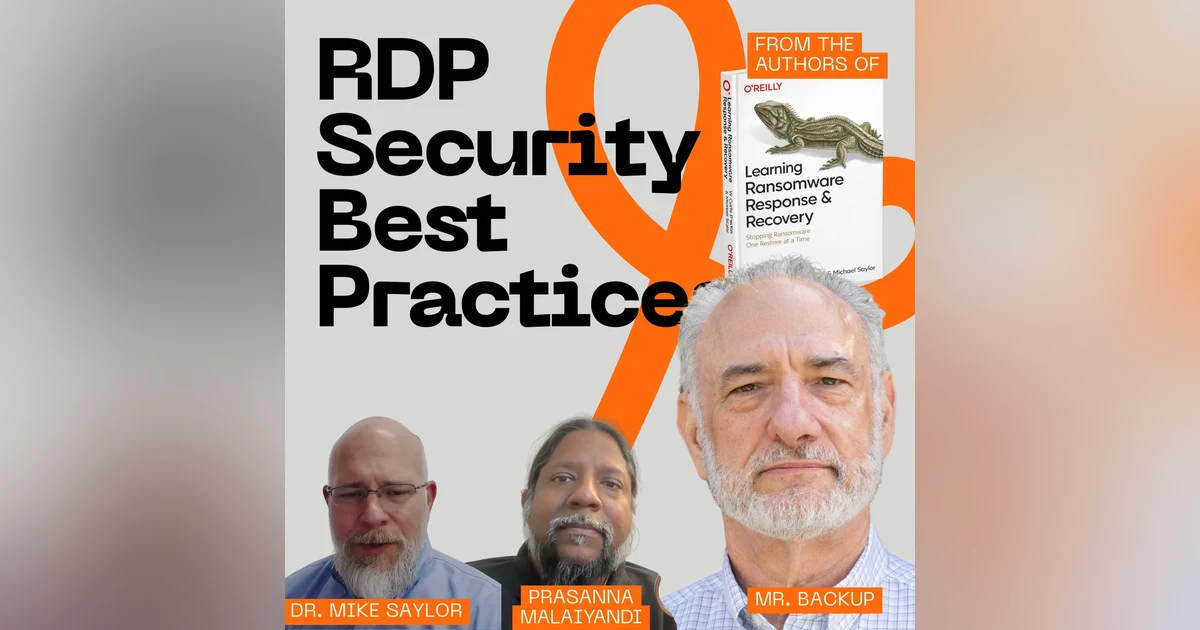
 RDP security best practices come down to one rule most admins break on day one: that protocol has no business facing the internet. Dr. Mike Saylor and Prasanna Malaiyandi join me to break down why RDP earned the nickname Ransomware Deployment Protocol, who's out there scanning for your open port right now, and what to actually do about it.
Here's the part that gets me. Every Windows box ships with this thing turned on. You didn't ask for it. Nobody handed you a manual. It's just there, running, waiting. Mike calls it a dollar store hammer — still a tool, still gets the job done, just not the one you'd pick if anybody gave you a budget. I call it a hack-me sign taped to your back.
We get into how initial access brokers work, and it's less sophisticated than you'd hope. Somebody runs a Shodan query, gets a list of every exposed RDP service on the planet with IP addresses and device types, cross-references it against leaked credentials, packages the whole thing up, and sells it. Mike says the recon that used to take days now takes about 30 seconds with the AI tools floating around the dark net.
Then there's the credentials-don't-even-matter problem. Default RDP traffic isn't encrypted internally. Mike walks through a routing table poisoning job where his team captured an admin's keystrokes going to a server. No login required. Just be in the middle.
The back half is all fixes. Block the protocol and the port, not one or the other, because attackers will happily move to a different port. Check 3389 before you kill it — your database might be sitting on it. Enforce network level authentication. Put a VPN or a zero trust product in front, and Mike points out enterprise-grade stuff runs about six bucks a user now, so the "no budget" excuse is thinner than it used to be. Bastion hosts. Group policy. Monitoring at the endpoint, network, and firewall layers, with a governance layer on top so you know what's allowed before something breaks at 2am.
Prasanna plays devil's advocate the whole way through and swears he isn't pro-RDP. Mike wears three hats and can't pick one. I have exactly one opinion and I'm not moving off it.
CHAPTERS:
00:00 Windows ships with a back door
01:26 Welcome and my Facebook Marketplace weekend
03:18 Why RDP means Ransomware Deployment Protocol
04:46 What RDP actually does
05:51 Blue hat, red hat: Mike's split opinion
06:11 Does RDP deserve its bad reputation?
08:10 On by default, and you can't fully kill it
09:30 The back door nobody locks
11:52 Does the cloud secure RDP for you?
14:12 Who scans for exposed RDP, and how Shodan works
17:10 Initial access brokers explained
18:36 Vulnerabilities that skip credentials entirely
19:08 Unencrypted traffic and stolen keystrokes
20:38 The never-on-the-internet rule
20:59 The network survival stack: VPN and zero trust
23:22 Block the port and the service
24:17 Stopping lateral movement once they're inside
25:25 Network level authentication
27:50 Port 3389: check before you block it
29:44 Bastion hosts
30:26 Monitoring, auditing, and governance
31:19 Blue, red, and purple hats
Windows ships with a giant backdoor, and Microsoft turns it on by default.
Speaker:I'm talking about RDP, which I say stands for the Ransomware Deployment Protocol.
Speaker:This week, Dr. Mike Saylor and Prasanna join me to talk about RDP
Speaker:and its security best practices.
Speaker:Why does port 3389 keep showing up in breach reports?
Speaker:Why do initial access brokers love RDP?
Speaker:We talk about blocking the port and the service, network-level authentication,
Speaker:bastion hosts, and the one rule that I'll go to the mattresses for, RDP
Speaker:does not belong on the internet.
Speaker:If this is your first time watching or listening to me,
Speaker:I'm W. Curtis Preston, AKA Mr.
Speaker:Backup.
Speaker:I've been obsessing over backup recovery and now cyber recovery for over 30 years.
Speaker:If that's your bag, I'm your guy.
Speaker:You're not gonna find anybody that cares about this topic more than me.
Speaker:Ever since 1993 when I had to tell my boss that there were no backups
Speaker:of the database that we just lost.
Speaker:Now I've written five O'Reilly books, a blog, and now a podcast.
Speaker:Here we turn unappreciated admins into cyber recovery heroes.
Speaker:This is the Backup Wrap-Up
Speaker:hi, and welcome to the Backup Wrap Up.
Speaker:I'm your host, W. Curtis Preston, AKA Mr. Backup, and once again, I
Speaker:have a guy with me that followed me vicariously this weekend as I
Speaker:visited roughly a dozen random strange people's houses, Prasanna Malaiyandi.
Speaker:How's it going, Prasanna?
Speaker:I'm good, Curtis, and I'm glad that you were not kidnapped or missing a kidney
Speaker:or anything else like that because I know that you had to go around and pick up
Speaker:things from people you found on Facebook Marketplace, but those things worry me,
Speaker:I will say there was at least one house where we're like, "Okay, I'm
Speaker:not entering this fen-," if I was in Texas, it would be zero houses, right?
Speaker:but I'm like, "I'm not cracking this fence, but I'm not going into the
Speaker:yard to knock on a door," right?
Speaker:I'm like, I'm calling, I'm texting, I'm, But then there was one guy that
Speaker:came out in his, he was barefoot in his pajamas, and I'm like, "My God." have
Speaker:some decency, sir," plus his crib was d- But Mike, we, for the, daycare that
Speaker:I work with, I was, purchasing, 10, infant cribs, two rocking chairs, and
Speaker:table
Speaker:Yeah.
Speaker:that was my weekend.
Speaker:anyway, speaking of Mike, here we have my co-author of the lovely book right
Speaker:over my, left shoulder, Dr. Mike Saylor.
Speaker:How's it going, Mike?
Speaker:Oh, thank you.
Speaker:I didn't have any excitement over the weekend, but, hopefully this
Speaker:coming weekend I'll get to do something that spikes my adrenaline.
Speaker:Who knows?
Speaker:Yeah.
Speaker:just try walking up to 12 random strangers' houses.
Speaker:That is guaranteed, especially in Texas, to
Speaker:That's, that's old hat for me.
Speaker:I d- I used to do that all the time.
Speaker:Oh, no thank you.
Speaker:No thank you
Speaker:I'm gonna, I think I'm gonna, I'm gonna get in the middle of, a fight
Speaker:between, Black Vulture and my rooster.
Speaker:See if that'll, that maybe that'll get me charged
Speaker:up
Speaker:that I, is a story I wanna hear, but not today.
Speaker:today we are, we ha- we have been hinting at this episode many weeks.
Speaker:This is w- a favorite topic that I bring up.
Speaker:I allude to it quite a bit.
Speaker:It is my favorite protocol, of all because it is used to deploy ransomware, which is
Speaker:why it is called the ransomware deployment protocol, otherwise known as RDP.
Speaker:so
Speaker:I know you love this topic, so what I'm gonna do is I'm just
Speaker:gonna mute myself right now.
Speaker:And for all of the listeners out there, this is just gonna be the Curtis time.
Speaker:Mike, maybe you might get a word or two in here or there, but, I'm
Speaker:just gonna mute myself at this point
Speaker:You're killing me.
Speaker:This- it's just it's like, don't do this, right?
Speaker:But so many people do this, right?
Speaker:it's just there, there's so many initial breaches that are done via RDP, especially
Speaker:RDP that is accessible via the internet.
Speaker:I, I joke that it's like, that it's like having a, a kick
Speaker:me sign on your back, right?
Speaker:except it's a hack me, it's a hack me
Speaker:So, before you keep going on, maybe for some people who hopefully everyone's
Speaker:familiar with RDP, but maybe you should spend 30 seconds talking about what is R-
Speaker:my intro.
Speaker:I know, b-
Speaker:My
Speaker:you were getting like so intense and you're just about
Speaker:to go like jumping right in
Speaker:Like an old married couple
Speaker:I tell you, yeah, this is why.
Speaker:I don't know, I don't know why I put up
Speaker:This is why you keep me around
Speaker:Yeah, okay.
Speaker:So the actual name of this product is the Remote Desktop Protocol.
Speaker:And for those of you that don't know, this is the way that you can
Speaker:administer, especially, specifically a, a Windows-based… And by that,
Speaker:I actually don't mean the Windows with a capital W. like a, either a…
Speaker:what's the… What's… Is it Motif?
Speaker:Is that the, the Unix version?
Speaker:Isn't that what it's called?
Speaker:It's been a while since I've used that term.
Speaker:But basically a windowing type platform, which very commonly
Speaker:is, of course, Windows, right?
Speaker:if it is on, if it is enabled, you can basically run that other system as if
Speaker:you were sitting there with your mouse.
Speaker:And, which means that also, so can a hacker.
Speaker:And over the years, there have been all kinds of vulnerabilities
Speaker:that have resulted in all kinds of, hacks and, and therefore incidents
Speaker:and therefore ransoms, et cetera.
Speaker:And, Mike, do you also have a similar relationship with RDP?
Speaker:It depends on which, which hat I'm wearing.
Speaker:so if I'm
Speaker:Okay
Speaker:the blue hat, I hate RDP.
Speaker:If I'm wearing the red hat, love RDP
Speaker:yeah.
Speaker:That makes sense.
Speaker:That makes sense.
Speaker:Yeah.
Speaker:I can, I can ma- it makes sense a lot.
Speaker:But, is
Speaker:You're al- you're always, you always have a big but, Prasanna.
Speaker:Go
Speaker:No, okay.
Speaker:But, is RDP getting a lot of flack though because ad- administrators, users are
Speaker:misconfiguring it or not securing it in the proper way, or just taking, the easy
Speaker:route, and therefore it gets a bad name?
Speaker:Or does it truly deserve the, nickname ransomware deployment protocol?
Speaker:I think it's, I think it's a little bit of both, right?
Speaker:I think it, it got the name because it was so often used as, d- to deploy ransomware.
Speaker:But, it is, I would say it's a combination, and Mike, I, I am
Speaker:curious of your opinion here.
Speaker:it's both like just a protocol and the software underneath it that
Speaker:runs that protocol have had so many
Speaker:and therefore, breaches it, it's just a really dangerous protocol.
Speaker:And then, and people don't know, I don't think they realize
Speaker:just how dangerous this is.
Speaker:They leave it unprotected.
Speaker:They leave it connected to the internet, as a result, they get, they get hacked.
Speaker:what, w- would you agree with any of that, Mike?
Speaker:something you… I agree with a lot of that.
Speaker:and it, RDP has its purpose.
Speaker:It's a tool.
Speaker:it's a dollar store hammer instead of, the Home Depot, you know,
Speaker:professional roofing hammer, right?
Speaker:so it's still a tool, and you use what you have to use when, sometimes you
Speaker:don't have budget for more robust tool.
Speaker:But to your point about, it's not protected, it's connected to the internet,
Speaker:no one's monitoring when it's being used, all those other things that are
Speaker:also free and come with your Microsoft environment could help protect the use
Speaker:of RDP and just traditionally it's not.
Speaker:And so we're just leaving that dollar store hammer out there on
Speaker:the table for anybody to pick up.
Speaker:yeah, there, there's
Speaker:ways of making it better,
Speaker:and
Speaker:traditionally it doesn't
Speaker:isn't it on by default, Mike?
Speaker:The serv- yes,
Speaker:Yeah.
Speaker:This,
Speaker:it is.
Speaker:yeah,
Speaker:even on the work, even on the
Speaker:endpoints it's
Speaker:Just on by default
Speaker:and but
Speaker:the endpoint you can't turn, you can't turn all the RDP services off.
Speaker:You can only turn the, the primary, RDP call service off
Speaker:But, and everything you said, Mike, makes a lot of sense.
Speaker:A, there are certain things you can't do, and by the way comes by default,
Speaker:it's very insecure or could be very insecure if you aren't securing your
Speaker:firewall to prevent access, right?
Speaker:This could be externally facing.
Speaker:But it's, in my mind, that's like similar to being like, I have an
Speaker:amazing home alarm system, and I'm gonna leave the front door unlocked, right?
Speaker:Or, like there's certain things that are a little bit like user error, if you will,
Speaker:or users not using it in the way it was intended to be used or not understanding.
Speaker:And so I wonder if it's like, yes, there is this tool, yes, they could
Speaker:have done a better job of securing it or setting the right defaults,
Speaker:but maybe it's just getting a bad…
Speaker:And I sound like I'm pro-RDP.
Speaker:I am not pro-RDP, but I'm just taking the fl- I'm just taking the flip side
Speaker:and just trying to say, because I think it's useful in some environments, right?
Speaker:If you can secure it internally, right?
Speaker:Well, that, that's basically, that's what… It's not that RDP is evil,
Speaker:it's that it just ha- it, it can really be used for evil, right?
Speaker:but to take your analogy and maybe just tweak it a little bit, it's as if
Speaker:every new house comes with a back door that's wide open, and nobody thinks
Speaker:to maybe lock the back door, right?
Speaker:like every single builder puts in this door, and then
Speaker:advertises the door is open.
Speaker:It's got a big flashing, "I'm not locked," thing above it, and then nobody's like,
Speaker:"Hey, maybe we should do something." Did you wanna say something, Mike?
Speaker:It, it's a known protocol, so to your point, if that protocol was available
Speaker:at, in your house, bad guys just query the whole neighborhood, and
Speaker:I'll… Very quickly I can find out who's got RDP exposed to the internet.
Speaker:but Prasanna, made a comment about it, being a, a bad tool.
Speaker:It's not a bad tool.
Speaker:and there's a lot of tools out there that are used for evil.
Speaker:In fact, most tools that guys use to help do their job better are now used for evil.
Speaker:all the CIS internal tools are, have been cannibalized and turned to the dark side.
Speaker:it's all about risk mitigation and understanding what the risks are.
Speaker:So if you're using RDP in your environment, great.
Speaker:Have you thought about how to protect your environment from the
Speaker:RDP tool that you think you have to use in- instead of some other tool?
Speaker:And then cleaning up after yourself, too.
Speaker:to Curtis's point, it comes dis- installed or turned on by default.
Speaker:what if your default approach was not to use RDP?
Speaker:You're using some other remote management tool, but you forgot to turn RDP off.
Speaker:So there's just, there's just diligence, common sense, and the
Speaker:analysis of your environment, the risks, and all those things.
Speaker:So it's no different than taking something out of the box and plugging
Speaker:it in and thinking everything's fine, knowing that out of the box it's not
Speaker:fine and doing other things without consideration for reading the manual
Speaker:and knowing what you've turned on
Speaker:This manual thing of which you speak
Speaker:Do, you know, Mike?
Speaker:about this documentation
Speaker:Mike, so I totally get for an on-premises environment where you're deploying
Speaker:Microsoft servers and other things like that, it's on you to secure it.
Speaker:Do you know if cloud providers, when you are deploying Microsoft Windows
Speaker:in, say, Amazon AWS EC2 Compute, do they do a better job of helping
Speaker:secure things by default rather than what you would have on premises,
Speaker:or they're also in the same boat?
Speaker:it… You're also in the same… Depending on who your vendor is, you just by default
Speaker:spin up an Azure environment and put servers out there, absolutely Microsoft
Speaker:is gonna feed you their Kool-Aid.
Speaker:they're gonna be using RDP.
Speaker:It's gonna be configured the way they want it done, unless you tell them differently.
Speaker:So absolutely, yeah, Microsoft is a Microsoft shop, and they're gonna use all
Speaker:their stuff, and they think it's great.
Speaker:it's up to you to mitigate all that or to, to change whatever that might be.
Speaker:AWS is different.
Speaker:a lot of AWS, it's either you or a, a, a vendor that you've hired
Speaker:to help you build your virtualized environment, your cloud environment.
Speaker:that's kinda on you.
Speaker:so other environments that aren't Azure are a little different, but in most
Speaker:cases, unless you dictate how your servers are built, that, especially w-
Speaker:and it's only Windows, how your Windows servers are built, if you don't, if you
Speaker:don't spec- if you don't specify, then RDP is gonna be turned on by default.
Speaker:It's gonna be there whether you use it or not, and if you do use it, it's really
Speaker:no different than making sure you're using it appropriately and it's secured
Speaker:appropriately on-premise or in the cloud.
Speaker:The biggest problem, though, is if you've got it turned on in the
Speaker:cloud, it's already in the internet,
Speaker:Yeah
Speaker:So you've gotta be more cautious about, how am I using RDP?
Speaker:am I VPN-ing into a cloud environment and then using RDP, or am I using RDP
Speaker:from my desk through the firewall, out to the internet, through another firewall?
Speaker:That's even worse almost, 'cause just really,
Speaker:it, it all depends.
Speaker:it depends on your environment, depends on your budget, depends
Speaker:on your skill set, depends on your partners, depends on the environment.
Speaker:I'm just…
Speaker:We should, I think we should do a poll on how long
Speaker:To be a shirt
Speaker:Mike to say the phrase, "It depends," in each episode.
Speaker:but, Mike, let's move forward with, so the, e- earlier you were talking
Speaker:about wandering around the neighborhood and looking for the, in my analogy,
Speaker:the, the red flashing light, on.
Speaker:who would do that?
Speaker:Let's talk about, this, this really important group, the, the IABs
Speaker:it's, it ranges.
Speaker:security companies will search for those exposed services in order to identify
Speaker:opportunities for business development.
Speaker:there, it's not a… I frown upon that approach, but there are security
Speaker:companies out there that are the ambulance chasers, if you will.
Speaker:they're looking for known security flaws, and then they call you and go,
Speaker:"Hey, just to let you know, you've got this problem. We can help you fix it."
Speaker:I don't appreciate that, or condone it.
Speaker:Then there are people, people learning about cyber and this thing.
Speaker:"Hey, I heard that RDP's bad.
Speaker:I listened to this, Backup Wrap-Up podcast.
Speaker:I wanna go check that out." so they're gonna search for
Speaker:RDP. "All right, I found it.
Speaker:What do I do with it?" And so there's that.
Speaker:We call those script kiddies or newbies.
Speaker:and then you've got the people that really understand what it, the value
Speaker:of that exposed service, and they're gonna use tools like Shodan, which is a
Speaker:Nefarious.
Speaker:it's not, it's a legitimate search engine, but it's 100%
Speaker:used for bad stuff of the time.
Speaker:So in Shodan it's so in Google you would say, "What is RDP?" In Shodan you would
Speaker:say, "Show me every network that has RDP service exposed to the internet around
Speaker:the entire globe." And it will tell you.
Speaker:It, so it looks for those types of things.
Speaker:It doesn't look for articles, it looks for technical stuff,
Speaker:Right
Speaker:So Shodan is probably the, the number one if… It's probably the number
Speaker:one from a volume perspective for searching for stuff like that, and
Speaker:it gives you pretty verbose results.
Speaker:It'll tell you the IP address, the type of device that's promoting RDP.
Speaker:Is it a firewall?
Speaker:Is it a, a server out on the edge?
Speaker:Is it, what is it?
Speaker:country of origin, how long it's been there.
Speaker:there's any… And that's all on the normal internet.
Speaker:Then you can take that information into the dark net and see if,
Speaker:who, who else has attacked this.
Speaker:are there credentials that I can buy or find?
Speaker:So it's a process on the recon.
Speaker:So all that would be considered reconnaissance, and today all that can be
Speaker:done very quickly, especially with some of the dark net AI tools that are out there.
Speaker:you can put an attack list and a strategy together in 30 seconds
Speaker:But Mike,
Speaker:that… Hang on.
Speaker:Hang on, Prasanna.
Speaker:Mike, that was a great answer.
Speaker:It was not
Speaker:Now what you
Speaker:question I asked.
Speaker:the question I asked was who are initial access brokers?
Speaker:I thought I'd t- oh, no, I apologize.
Speaker:thought you were asking if IABs were the ones
Speaker:okay.
Speaker:Okay.
Speaker:Yeah, so
Speaker:and so my
Speaker:who, is this en- who is this entity,
Speaker:much
Speaker:and how do they figure into this?
Speaker:Yeah, initial access brokers are the guys that have, or, I'm gonna say guys,
Speaker:they are the, the group that has…
Speaker:They've already done the, the, the validation.
Speaker:so they searched for, and we'll just stick on the RDP theme for now.
Speaker:they've already identified all the assets with RDP accessible to the internet.
Speaker:They've already done their homework on are there known or published credentials
Speaker:for that device, for that RDP service.
Speaker:and they've packaged that together and they're, they've got that for
Speaker:sale for someone that wants to utilize it for an attack or whatever reason
Speaker:But is it safe to say though that without those credentials, just
Speaker:having RDP exposed out is bad?
Speaker:It is.
Speaker:it depends.
Speaker:No, it is because is it RDP… I- is it truly outbound RDP?
Speaker:so RDP from your environment to the cloud?
Speaker:or is it exposed to the internet so you can RDP in home or wherever if there's
Speaker:a problem or hopefully that's not your remote access mechanism for normal users.
Speaker:and then the other question is, did you change the password?
Speaker:Is it default?
Speaker:Is it easy?
Speaker:Is it, is it, 1234 and admin?
Speaker:so yeah, there's any number of ways that we can abuse,
Speaker:published RDP service
Speaker:But it also, in addition to, either guessing or obtaining the credentials
Speaker:to do this, my understanding is that there's also times where there are
Speaker:vulnerabilities of RDP that where you don't need said credentials.
Speaker:Is that correct?
Speaker:Yes, because of the vulnerabilities with RDP aren't specific to authenticating
Speaker:to RDP versus just capturing RDP traffic
Speaker:So internal to the network, default, RDP traffic is not encrypted
Speaker:So I can capture keystrokes.
Speaker:In fact, I've got a video from years ago where we did a DNS poisoning.
Speaker:it wasn't DNS, it was a
Speaker:At least DNS
Speaker:it was a routing table poisoning.
Speaker:and so we were able to get a router to sh- to, to send us the keystrokes
Speaker:that an admin was sending to a server, and we captured all of it, because
Speaker:our, at the, at, in that case, RDP, the RDP traffic was not encrypted.
Speaker:so I don't need access to be able to use RDP.
Speaker:I just need to be on the network.
Speaker:I just need to be in the middle
Speaker:to,
Speaker:to capture-
Speaker:to take your, that concept, and you said normally on an internal
Speaker:network it's not encrypted.
Speaker:If the server is directly on the internet, it's considering the internet the
Speaker:internal network at that point, right?
Speaker:So meaning, meaning that the, that your traffic would also not be encrypted
Speaker:It depends.
Speaker:So that point-to-point part, so if
Speaker:Right
Speaker:talking to the cloud firewall, is that a VPN?
Speaker:okay.
Speaker:assume, assuming there's no VPN.
Speaker:I'm just, I g- I got, a stupid server just sitting flat on the internet, is
Speaker:what I'm saying, not behind a firewall.
Speaker:the dumbest server ever, and no firewall, th- it, then it would be unencrypted.
Speaker:Right
Speaker:Okay.
Speaker:Which w- which I think we can all agree would be it, which is the point
Speaker:of this whole discussion, right?
Speaker:so I think we can agree, I think all three of us can agree is the never
Speaker:t- on the internet rule for RDP,
Speaker:I don't think it's just RDP.
Speaker:I think it's everything should not be on the internet unless
Speaker:it needs to be on the internet.
Speaker:That is true.
Speaker:I think there are some other services that are perhaps a little more secure
Speaker:that are s- safer to have on the internet, but, that is a much longer discussion.
Speaker:Mike, in the book, you talked about something called the survival stack.
Speaker:if people are gonna… If they need RDP, and by the way, I
Speaker:still think they don't need it.
Speaker:They need remote access, right?
Speaker:If you need remote access and you cannot afford a third-party remote
Speaker:access solution, then you need, is that, am I on the right track here?
Speaker:Then we start talking about the network survival stack.
Speaker:you wanna talk about that?
Speaker:Sure, and I wanna clear up a misconception about
Speaker:there are so many enterprise class tools out there now for VPN and
Speaker:zero trust that, I can think of offhand is, Zscaler, and it's $6 a month.
Speaker:and that… So that's enterprise.
Speaker:I'm not talking about the, the people at home that wanna be able to surf the
Speaker:internet and not, through a VPN and not have, traceability or whatever.
Speaker:You wanna… If you wanna use some of those other consumer
Speaker:level that's up to you.
Speaker:But enterprise stuff, Zscaler is very affordable, and it's very good,
Speaker:Six, that's $6 a month
Speaker:So
Speaker:per, box or per?
Speaker:per user.
Speaker:user, okay.
Speaker:Okay
Speaker:And that's mid-size.
Speaker:obviously a lot of companies will scale with you.
Speaker:if you wanna put 1,000 users on it, maybe it's not $6, maybe it's $4 or
Speaker:Gotcha.
Speaker:Okay
Speaker:it's affordable is what I'm getting at.
Speaker:And it's, and they're a lot easier to use than, back in the day you
Speaker:had to have a client installed.
Speaker:The client had to have a code or a cert or a token that tied it to the server,
Speaker:and then you had to put credentials in.
Speaker:Hopefully you had to put credentials in, and that they
Speaker:were different than your domain.
Speaker:So then you connect it, and then you have your domain.
Speaker:or you had to have a, a token with a, a key, a code on it.
Speaker:Two hours later
Speaker:things.
Speaker:Yes.
Speaker:so long story short, RDP on its own, if you have to use it, you
Speaker:need to have more controls in place to mitigate the risk of using it.
Speaker:So you don't wanna RDP directly into your environment.
Speaker:You want some other method, whether that's VPN or some zero
Speaker:trust solution, and then use RDP.
Speaker:So don't let RDP be exposed to the internet.
Speaker:Just have it running internally, and then u- use some other, more robust,
Speaker:trusted, configurable, remote access
Speaker:into the environment,
Speaker:and Mike, when we say don't let, it be exposed to the internet, the, is
Speaker:the easiest way to do that is just block that port on the firewall?
Speaker:Block it at the
Speaker:Yeah.
Speaker:Okay.
Speaker:Both the service and the port, or the protocol and the port
Speaker:so you talk… Yeah, go ahead
Speaker:that's important you could block the port and then you're compromised
Speaker:some other way, because you're not blocking the service, bad guys will
Speaker:just put it out a different port
Speaker:Yeah, that makes sense.
Speaker:But
Speaker:go ahead
Speaker:in this case though, Mike, that prevents external access to RDP, correct?
Speaker:In the sense of your RDP server is no longer visible on the internet.
Speaker:Is there things you could do in case a, an attacker comes in through some
Speaker:other, exploit or compromise, gets onto your network to prevent the
Speaker:lateral movement and exploiting RDP after they're inside your network?
Speaker:So that, I'm trying not to say depends.
Speaker:That, that is, it's based on how your architecture's built.
Speaker:So if you've got a simple flat architecture, you could still
Speaker:potentially define that rule on your firewall or your core switch.
Speaker:if you've got a complex environment, then you've gotta, you've gotta replicate
Speaker:that rule a- across your environment.
Speaker:You could also have group policy if you're a Windows environment
Speaker:that prevents it at the endpoint.
Speaker:You could also have an endpoint anti-malware solution like Huntress,
Speaker:as an example, that will trigger on the use of those protocols.
Speaker:You can… This is back to living on the land.
Speaker:Don't let it be available on that endpoint, right?
Speaker:Uninstall it, turn it off.
Speaker:bad guys, if a bad guy's made it to the endpoint and they wanna
Speaker:pivot, they're not gonna use RDP.
Speaker:They're gonna… They're probably gonna bring their own remote
Speaker:management tool like, ServiceNow or Splashtop or something like that
Speaker:So how does, NLA, network level authentication,
Speaker:figure into this discussion?
Speaker:Oh, what… Your architecture will,
Speaker:It depends.
Speaker:your architecture will dictate that as well.
Speaker:So if, again, if you've got a flat environment, you've
Speaker:got a domain controller.
Speaker:What, there's a lot of environments don't even have domain controllers.
Speaker:if you don't have a domain controller, your users are not authenticated to
Speaker:the network, they're just users that have access to other assets and the
Speaker:internet, that's probably actually not as risky because the endpoints don't
Speaker:have access to other stuff, unless you've created shares and things.
Speaker:But an environment where you've got a domain controller and you're
Speaker:authenticating to it, domain controller now has to be configured well so that
Speaker:the authentication of one device can't be cloned or duplicated or stolen.
Speaker:those Kerberos tickets or, sessions, from one asset to the other.
Speaker:And you can define in your architecture those routing restrictions that
Speaker:says, Mike's identity, can only persist on one device at a time.
Speaker:So group policy, architecture, good architecture design, good domain
Speaker:controller configuration, firewall rules.
Speaker:A-again, depends on, architecture.
Speaker:but all of that is, it's not new.
Speaker:It just takes time to work through, and if it's done right to begin
Speaker:with, it's a lot easier to manage
Speaker:The, yeah, let's move to the sort of the, the things that they should do, right?
Speaker:We talked about things not to do.
Speaker:you talked
Speaker:Don't use Windows.
Speaker:Oh, I remember, B- by the way, I did… while you two were talking at some
Speaker:point, I did look, and by the way, I was correct on Motif, but I do date myself.
Speaker:Apparently, it's not used very much anymore.
Speaker:That is the Windows manager for
Speaker:The gnome?
Speaker:old school Unix and Linux.
Speaker:and, it's still used… It's very lightweight, and it's still used
Speaker:in some distributions, but mainly for those that want a retro '90s
Speaker:aesthetic, according to that.
Speaker:I've got Openbox, Fluxbox, IceWM, there's a bunch of other ones.
Speaker:Anyway, just wanna make sure I wasn't crazy.
Speaker:So one, one of the things that we talked earlier about blocking the, the port
Speaker:and the service, the port's 3389, but, is something apparently that could
Speaker:result in a problem if you do that.
Speaker:but so you wanna talk about that, Mike?
Speaker:3389 could be used by something else.
Speaker:And so similar to, other recommendations we've given, you need to do some
Speaker:analysis in your environment to make sure that there's not some preexisting
Speaker:rule or service or connection, going out this or any other suspicious port.
Speaker:you wanna… you don't wanna impact business.
Speaker:we recommend 3389 'cause that's common for RDP or default RDP, but
Speaker:your environment could very well be using 3389 for a database connection
Speaker:or a, a session call or something
Speaker:It's sad, but, you have that problem, sad on you.
Speaker:So the next thing I've got on our to-do list here is to, if
Speaker:possible, I think everything, everything we're saying, right?
Speaker:No… Everything we're saying is investigate this
Speaker:in your environment, right?
Speaker:And that is, if possible, enforce network-level authentication, right?
Speaker:Because that's gonna support, or that's gonna, require users to prove who they
Speaker:are before they, start a- an RDP session.
Speaker:and then prasanna, what's our final recommendation?
Speaker:Final recommendation is if you are coming from external into an RDP environment
Speaker:or connecting from one to an RDP environment, use something to secure
Speaker:that external connection like a VPN such that you have-- you are not exposing
Speaker:RDP directly to the internet, but you do have that sort of proxy or secure
Speaker:connection into your network to then pass off into the VP, into the RDP session.
Speaker:Related to that, I w- I, we didn't have it on our list, but
Speaker:we discussed it in the book.
Speaker:that of course would be learning ransomware response and recovery.
Speaker:I can't believe I didn't mention the name earlier.
Speaker:We d- we discussed the concept of a bastion host, where you configure it
Speaker:so that if you're going to use RDP, and anything else that's dangerous,
Speaker:a- as I make quotes in the air, right?
Speaker:that you consider a bastion host, where all RDP has to go
Speaker:via this connection, right?
Speaker:And I think VPN is one of those ways.
Speaker:A bastion host would be another way.
Speaker:And, we seem to have lost Mike.
Speaker:I don't know
Speaker:No, he's back
Speaker:over there?
Speaker:You're glitching
Speaker:My all fuzzy.
Speaker:I'm not sure what's going on
Speaker:maybe you've been day drinking.
Speaker:All right,
Speaker:Wait, I have one more thing to ask or see.
Speaker:Mike, is there anything from an auditing perspective that you would recommend
Speaker:for remote desktop connections?
Speaker:or monitoring
Speaker:Oh, monitoring for sure.
Speaker:and there's, there are different ways of doing that too.
Speaker:There's layers.
Speaker:There's the endpoint layer, the network layer, the firewall perimeter
Speaker:layer for all those protocols.
Speaker:The important part is the governance layer, which is what we, establishing the
Speaker:policy of what we allow, what we prohibit, and then what are the exceptions.
Speaker:And then documenting that so when things do come up, we can very quickly
Speaker:determine if it's allowed or not.
Speaker:And then your incident response policy would, or procedure would say,
Speaker:"When these do, when these things happen, here are the people we need
Speaker:to involve in the conversation so we can determine how to address it."
Speaker:you heard it here, folks.
Speaker:Prasanna is pro RDP.
Speaker:I'm against it, and, Mike is with me.
Speaker:Well, no, Mike purple hat is with you.
Speaker:Mike red hat is against you
Speaker:so
Speaker:blue says, "No RDP." Red says, "I love RDP." Purple says, "Let's,
Speaker:let's educate each other on the, the appropriate use of RDP or not."
Speaker:The Backup Wrap-Up is written, recorded, and produced by me, W. Curtis Preston.
Speaker:If you need backup or DR consulting, content generation, or expert witness
Speaker:work, check out backupcentral.com.
Speaker:You can also find links for my O'Reilly books on the same website.
Speaker:Remember, this is an independent podcast, and any opinions that
Speaker:you hear are those of the speaker and not necessarily an employer.
Speaker:Thanks for listening