Endpoint Hardening: Closing Windows Before Somebody Climbs In


 Apple Podcasts
 Spotify
 Castro
 RSS Feed
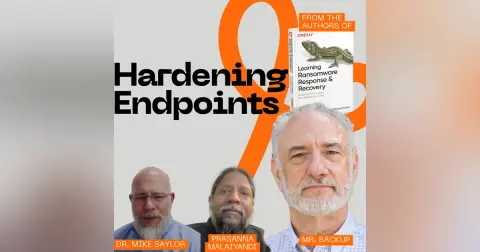
 Endpoint hardening is the unglamorous work of closing the windows and locking the doors before somebody comes along and jiggles the handle. Prasanna, Dr. Mike Saylor and I walk through what that actually looks like: secure builds and golden images, which services to shut off, which ones to uninstall so a bad guy can't just switch them back on, USB lockdown, full disk encryption, BIOS and UEFI, and the phone in your pocket that logs onto your corporate Wi-Fi every morning.
Mike opens with the analogy he uses in the book. Bad guys casing your organization are doing what a burglar does walking down your street — checking every door, every window, every garage. An unpatched box screaming its version number to the internet is a broken window with a sign on it.
Then we get practical. Your receptionist's computer is running a web server she will never use. Your new Dell shipped with Xbox Game Bar running by default. Mike's point is that turning those off isn't enough, because an attacker living off the land will just turn them back on. Uninstall the thing.
We also get into the argument nobody wins: locking down USB ports. Prasanna makes the end-user case, Mike makes the red team case, and we land on data leakage controls as the middle ground. Then Mike explains how he gets into a laptop that's suspended instead of logged off, and why your encrypted drive doesn't help you in that state.
If you've been told you should harden your endpoints and nobody ever handed you the list, this one's for you. Start with one image, the lowest common denominator, and build from there. Don't let perfect be the enemy of good.
CHAPTERS
00:00 Your receptionist's computer is running a web server
01:39 Welcome, with Prasanna and Dr. Mike Saylor
03:52 The house analogy: broken windows and unlocked doors
06:22 Do you just have to be safer than your neighbor?
08:49 Assume breach, and close the windows anyway
09:52 Secure builds and golden images
13:37 One image for everyone, or one per role?
14:39 Level one hardening: turning off what nobody uses
16:20 Xbox Game Bar, and why disabling isn't enough
19:07 The USB lockdown fight
22:46 BIOS, UEFI, and malware that survives a reimage
26:35 Full disk encryption only works if you log off
29:42 Physical access trumps everything
30:07 Port scans, Nmap, and banner grabbing
31:50 Building your hardening checklist
33:14 The endpoint in your pocket
Did you know your receptionist's computer is running a web server?
Speaker:And an Xbox game bar?
Speaker:Neither one of those helps them answer the phone, but both are doors that
Speaker:a bad guy can walk right through.
Speaker:Uh, today, Prasanna and Mike and I, uh, talk about hardening your endpoints.
Speaker:In other words, we're talking about closing the windows, locking the doors,
Speaker:before somebody else comes along and, you know, starts trying to jiggle the handle.
Speaker:We talk about secure builds and golden images, as well as which services
Speaker:to completely uninstall so the bad guys can't just switch them back on.
Speaker:We talk about doing things like locking down USB ports, and why
Speaker:full-disk encryption does nothing if you don't actually log off.
Speaker:Mike also talks about malware that lives in UEFI and survives a complete re-image.
Speaker:If this is your first time watching or listening to me, I'm
Speaker:W. Curtis Preston, AKA Mr. Backup.
Speaker:I've been obsessing over backup recovery and now cyber recovery for over 30 years.
Speaker:If that's your bag, I'm your guy.
Speaker:You're not gonna find anyone that cares about it more than me.
Speaker:Ever since 1993 when I had to tell my boss that there were no backups
Speaker:of the database that we just lost.
Speaker:Now I've written five O'Reilly books, a blog, and a podcast.
Speaker:Here we turn unappreciated admins into cyber recovery heroes.
Speaker:This is the Backup Wrap-Up.
Speaker:Welcome to the Backup Wrap Up.
Speaker:I'm your host, W. Curtis Preston, AKA Mr. Backup, and I have with me my
Speaker:anchor and my rock, Prasanna Malaiyandi.
Speaker:How's it going, Prasanna?
Speaker:I'm, flattered I guess you could say.
Speaker:Your anchor and your rock
Speaker:what else do I refer to you as?
Speaker:What do I else do refer…
Speaker:As long as you don't call me, your ball and chain or
Speaker:something, I think we're good.
Speaker:you're my work husband.
Speaker:except we don't work at the same place anymore.
Speaker:Isn't that kinda weird?
Speaker:Although you and I do a lot of work with the same company, but
Speaker:just in a very different way.
Speaker:Yes, that is true
Speaker:and, and once again, I have my, my book co-author and friend, Dr. Mike Saylor.
Speaker:How's it going, Mike?
Speaker:Hello everybody.
Speaker:Doing good.
Speaker:Doing good
Speaker:we're of course talking about the book Learning Ransomware Response Recovery,
Speaker:which you, if you are watching us on the YouTube, the Backup Wrap-Up channel,
Speaker:you can see over my, left shoulder, it looks like the right shoulder in
Speaker:the picture, but oh, and there he is.
Speaker:He's
Speaker:And Mike's holding the book.
Speaker:So then you could see, the ginormous poster behind Curtis, and for everyone
Speaker:else who wants to read the book, Mike's holding up a picture of the book
Speaker:So Curtis, e-enhanced for detail, and then this is the actual size.
Speaker:It's a good, it's a good, it's got a good weight to it
Speaker:Yeah, and it's, yeah, and for those that, if you haven't heard me talk about this
Speaker:before, that poster, in order to look okay on the camera, that thing is ginormous.
Speaker:That's It's literally
Speaker:sent
Speaker:Hang on.
Speaker:I'm j-
Speaker:publisher sent us one, but
Speaker:Yeah, send us a small one.
Speaker:I'm gonna go back here.
Speaker:than, it's not much bigger than
Speaker:You see what I'm saying?
Speaker:yeah.
Speaker:Anyway,
Speaker:Yeah, it's two shelves on your book tall.
Speaker:Yeah, exactly.
Speaker:All right.
Speaker:So today, friends, we're gonna be talking about, hardening, endpoints, which, you
Speaker:know, just basically that, that thing that people, that, bad guys like to attack.
Speaker:And Mike, I thought you'd start, you would start us off with this idea that
Speaker:used, that you used in the book about, comparing, cybersecurity to, to houses
Speaker:Yeah, I do that a lot and it helps, I think, people, relate cyber to the
Speaker:real world, things you see every day.
Speaker:You don't see cyber, you just, you get hit over the head with it every now and then.
Speaker:But, when you think about your house, and we've talked about this analogy in
Speaker:a lot of different ways but, backing up just a little bit, bad guys, when they
Speaker:do a, when they look for weaknesses in your home, they're gonna look at all of
Speaker:the potential entry points or weaknesses.
Speaker:is that a, is the door unlocked?
Speaker:is it a, a lock I can pick easy?
Speaker:Is it a double pane tempered glass, or is it, some, some
Speaker:older different type of glass?
Speaker:and so when we're doing a vulnerability assessment, we're looking for weaknesses,
Speaker:when we find an endpoint where the window's already broken, we know it, it's
Speaker:got a vulnerability that's widely known.
Speaker:it calls out to the internet, "Please, somebody me." those are the obvious things
Speaker:that bad guys can pick up on very quickly.
Speaker:as an example, we all miss Windows XP.
Speaker:Do we?
Speaker:you connect
Speaker:That no one ever
Speaker:if you con- if you connect a Windows XP computer to the internet, the
Speaker:meantime to compromise is, minutes, that is a broken window that,
Speaker:that's just asking for trouble.
Speaker:But yeah, bad guys, when they look at an organization, broken windows are
Speaker:those things that are just, they're already cataloged as known entry points.
Speaker:Does it
Speaker:what the, the bad guys think when they drive by my house and for some reason my
Speaker:garage is just sitting there hope open.
Speaker:Which is like every other day.
Speaker:which is what's funny is, I have a Tesla, right?
Speaker:And Tesla will automatically open the garage when I come up, and it's
Speaker:100% successful when coming up to the house, opening up the garage
Speaker:door, and it's roughly 90% successful shutting the garage door when I leave.
Speaker:But it's so successful that I often forget to, double-check that
Speaker:it's going down as I'm leaving.
Speaker:And, and then I come back after having been gone all day, and
Speaker:I go, "Huh, look at that. My
Speaker:is, open." And the… And I even have all these fail-safes where I have,
Speaker:I actually have a if this then that thing that kicks off, and it basically
Speaker:runs every half hour and cl- tries to close my garage door every half hour.
Speaker:And that fixes that about 50% of the time.
Speaker:But the other 50% of the time, the reason why it isn't closing
Speaker:is because something's in the way.
Speaker:And, software's not gonna fix that 'cause that's a hardware problem, yeah.
Speaker:Anyway, Prasanna
Speaker:no, I, Mike, I like your analogy.
Speaker:Is there something similar to be said?
Speaker:you know how they say, to avoid getting eaten by a bear, you don't need to be
Speaker:the fastest person, you just need to be faster than the person next to you?
Speaker:Does that also apply for your broken window analogy too?
Speaker:That
Speaker:It does.
Speaker:to, to some degree.
Speaker:a lot of times, in that analogy, and there's others similar, like
Speaker:I don't have to have the best security on my house, I just needs
Speaker:to be more secure than my neighbor.
Speaker:Or if you're gonna buy new
Speaker:Yeah.
Speaker:and something, expensive and you've gotta throw the trash away, throw
Speaker:it away in your neighbor's trash.
Speaker:so it's all about obfuscation and perspective, but a lot of bad
Speaker:guys don't target Prasanna, right?
Speaker:They're- I'm not- they're not just waking up tomorrow and go, "I'm gonna attack
Speaker:Prasanna. And then while I'm attacking Prasanna, I notice that Curtis has more
Speaker:broken windows, and so I'm gonna go attack Curtis." it doesn't happen that way.
Speaker:W- the way it works is usually if they're truly targeting and th- then
Speaker:they're hands on the keyboard doing this type of or reconnaissance, sure,
Speaker:they're gonna look at one thing, and if it's too much trouble, they're gonna
Speaker:move on to the next one, for sure.
Speaker:but a lot of times today especially, there, a lot of the reconnaissance
Speaker:is done through automation, whether that's AI or scripts.
Speaker:And the bad guy doesn't even know, in a lot of cases, when
Speaker:something's been compromised.
Speaker:they've gotta go check their log or look at a dashboard or wait
Speaker:till someone calls them and asks how much ransomware they owe.
Speaker:but yeah, more secure than the next guy is, it's one of
Speaker:those, zombie apocalypse rules
Speaker:Yeah, a- again, going back to the house analogy, they're basically, they've got
Speaker:a small army of, people that are just running up and checking every door,
Speaker:every window at every house, right?
Speaker:And if you happen to be the one with the back door open, your garage
Speaker:door open, and your window open, you'll find yourself at my house.
Speaker:Trunk open
Speaker:the way, they're…
Speaker:Go ahead
Speaker:world, I use, I refer to as the kinetic world, they're hiring or
Speaker:they're paying kids to do that.
Speaker:They will pay a kid $5, $10, candy, whatever, "Hey, go see if that door is
Speaker:unlocked." Because when you open the door and there's a kid there, it's a kid.
Speaker:You're like, "What are you doing?
Speaker:Get out of
Speaker:What are you doing?
Speaker:Yeah
Speaker:stop being a nuisance," versus an adult who may have a different reaction
Speaker:Interesting.
Speaker:Yeah.
Speaker:a good, that's a good way to get shot in some parts of the world.
Speaker:maybe
Speaker:What are we to-
Speaker:Go ahead
Speaker:So Curtis, so great analogy, Mike, but Curtis, what are we really
Speaker:going to talk about on this episode?
Speaker:the
Speaker:how does it lead into what we wanted?
Speaker:Yeah
Speaker:Yeah, so the point of this is that the idea is that you do need to harden the,
Speaker:the, the touchpoints, the endpoints where the cyber attacker, where the,
Speaker:bad actor is going to try to attack you.
Speaker:And, just to go back to the analogy, need to make sure that all the
Speaker:windows are closed, that the doors are locked, that, all of these things,
Speaker:and that we don't do anything stupid.
Speaker:When we talk about it in the book, Mike, I remember, not… The book is not,
Speaker:like, not to get ransomware, right?
Speaker:We, we took an assume breach position, but that doesn't
Speaker:mean that you can't try, right?
Speaker:You can do the stupid stuff.
Speaker:Make sure your windows are closed.
Speaker:Make sure your doors are locked.
Speaker:the stuff that you can do relatively easily, make sure you do those things, and
Speaker:that's what we're gonna talk about today, is basically hardening, the endpoint.
Speaker:And the first thing that we wanna talk about, and Prasanna, I know you've
Speaker:talked about this with me before, so maybe you're gonna jump right on
Speaker:in here, and that is this idea of a secure build and a golden image.
Speaker:What are we talking about there?
Speaker:Oh, yeah.
Speaker:So you could do the sort of not necessarily a simple thing, but
Speaker:take a pre-installed version, like a new laptop ships, from a vendor.
Speaker:And you take it and you're like, "Okay, I'm just gonna install some software on it
Speaker:and just hand it off to my users." There's probably a whole bunch of things running
Speaker:on there that you don't necessarily need.
Speaker:It's not something that makes it easy to repeat and have a consistent
Speaker:view across your entire environment.
Speaker:And so what you really want is a golden image that you can quickly install.
Speaker:It isn't painful, but is consistent, and it only has what you need in
Speaker:your environment and nothing more.
Speaker:So if you don't need…
Speaker:And Curtis, I know we will talk at some point about your favorite topic, but if
Speaker:there are certain services you don't need to be running, then don't have them run.
Speaker:Don't install it.
Speaker:If there are certain programs you don't need, get rid of all the
Speaker:bloatware, everything else as part of this golden image that you can
Speaker:then replicate and install and reuse consistently throughout your environment
Speaker:Yeah, and the whole point here is that you're essentially
Speaker:restoring the laptop, right?
Speaker:You're taking this image that you have backed up, and you're wiping the laptop.
Speaker:and you're not just… you could do it in a different way.
Speaker:You could say, "I'm buying a, this will work, but it- it's limit- limited
Speaker:functionality, where you get a brand-new laptop, and then you have, like a scripted
Speaker:installation of various pieces of software and the deactivation of certain features.
Speaker:But, what we're really talking about here is the idea that you would have
Speaker:this image that you're going to restore a complete drive, to that laptop
Speaker:or to any other endpoints, right?
Speaker:Servers and things like that, so that you're basically, in one
Speaker:step, you get the baseline of everything you need to be functional.
Speaker:And we normally think about this in the case of like virtualization, right?
Speaker:Where you have a golden image that you spin up new VMs for, from.
Speaker:But the same thing also applies, like you said, Curtis, for endpoints,
Speaker:where you're just spinning up this golden image across your devices
Speaker:Yeah.
Speaker:Any thoughts on that, Mike?
Speaker:so one of the things to think about too, and you need a strategy for that.
Speaker:so you can't just… A- I did this a long time ago where I just went into
Speaker:all my services and started turning things off, and yeah, maybe it worked
Speaker:at the time, but then, tomorrow I need to something and it's not working
Speaker:'cause I turned some services off that I needed for whatever that was.
Speaker:so there, there needs to be a strategy for how you build your image.
Speaker:and I think we're gonna touch on that a little bit more here in a second, but,
Speaker:that, that approach, that image needs to be specific to the different hardware
Speaker:that you deploy out into your environment.
Speaker:So one of those strategies would be minimize the dif- the variety of
Speaker:technology, 'cause that's just gonna help you as a, an IT department to…
Speaker:you're maintaining less, variety, so the problem with this is the, the solution to
Speaker:that problem's gonna be the same across And so now that golden image applies to,
Speaker:the, the one, maybe two different types of, device models that you've got out.
Speaker:one thing, real quick, one thing I will always hammer on is document that thing.
Speaker:don't just build it.
Speaker:Write down why you built it that way and how it was built, because
Speaker:it's gonna take time to, to d- to troubleshoot why that image didn't
Speaker:work or why that image isn't working with certain applications or whatever.
Speaker:Now you've got a document, and we can refer to that, and then
Speaker:you just, you update that, that image as, exceptions come in or
Speaker:that build, is modified over time
Speaker:Mike, I'm glad you touched on the point about sort of you might need a different
Speaker:golden image per hardware, and so consolidate down hardware such that it
Speaker:makes it easier and more streamlined.
Speaker:What about in terms of, different roles within an organization?
Speaker:So as an example, do you see typically, or like an engineer might need a different
Speaker:golden image than, say, someone in finance or in HR, or do you also recommend trying
Speaker:to consolidate down as much as possible to a single golden image that can be used
Speaker:across many people in the organization or as many people as possible, and
Speaker:then for things that an engineer might need, then there's additional scripts
Speaker:you run on top of that golden image?
Speaker:I'm gonna answer for Mike.
Speaker:You ready?
Speaker:wait, Mike, I know what your answer is.
Speaker:it
Speaker:It depends.
Speaker:It depends.
Speaker:Absolutely depends.
Speaker:It depends on the environment because, for example, maybe your engineer needs
Speaker:a different computer all together.
Speaker:"I need better hardware.
Speaker:I need more
Speaker:RAM.
Speaker:I need a different processor." that's a different image for
Speaker:that different piece of hardware.
Speaker:All right, but that's one approach.
Speaker:But really, the, the approach you should take understanding the
Speaker:different levels of hardening.
Speaker:So level one hardening is just basic works- workspace type hardening.
Speaker:do I need, Microsoft?
Speaker:They, One of the services is a web server.
Speaker:Why is a web server running on my receptionist's computer?
Speaker:what a RDP, one of Curtis's favorite, or even remote procedure calls.
Speaker:If, it depends on how your environment's built.
Speaker:how do you support these devices?
Speaker:If you're doing it remotely, you need some of that stuff.
Speaker:If you're not, turn it off.
Speaker:PowerShell.
Speaker:Bluetooth.
Speaker:Why is Bluetooth running on a server?
Speaker:It depends.
Speaker:Because I s- because… Yeah.
Speaker:Oh, yeah.
Speaker:maybe not.
Speaker:Maybe you shouldn't.
Speaker:'Cause I saw "Mr. Robot," and you can hack an entire, system via
Speaker:Bluetooth from the police car.
Speaker:Outside, yeah
Speaker:but, w- I, also th- a s- a related idea would be a sort of a base image
Speaker:everyone, and then scripted addition, yeah, yeah, the lowest common
Speaker:denominator, and then scripted addition of certain software on top of that.
Speaker:The exceptions, right?
Speaker:we turn off, go back to RDP.
Speaker:We turn off RDP for everybody.
Speaker:No one needs RDP, right?
Speaker:And then we go, we turn it on for the two people that need it.
Speaker:And you
Speaker:Coffee maker
Speaker:can automate that, right?
Speaker:What'd you say?
Speaker:The coffee maker needs RDP
Speaker:Yeah, the coffee maker needs RDP.
Speaker:and we- and we touched on this a- a few times here, but one of the
Speaker:other things is the whole idea behind hardening this, so is, w- or thing
Speaker:that we're doing here is turning off things that don't need to be on, right?
Speaker:Can you think of other things, you've mentioned Bluetooth on servers.
Speaker:the… So I, I see on our list here Xbox services on workstations.
Speaker:Is that actually a thing?
Speaker:It is.
Speaker:It is.
Speaker:What?
Speaker:especially Dell computers come with Xbox, the, the game bar and
Speaker:other stuff, running by default.
Speaker:only do you need to turn stuff off, you need to uninstall
Speaker:the stuff that you turned off.
Speaker:Because at some point, if that endpoint is compromised, bad
Speaker:guy living off the land, right?
Speaker:So bad guy finds out what's on this machine, it's turned off.
Speaker:"Oh, I just need to turn it back on and I can use it." not
Speaker:just turn it off, uninstall it
Speaker:I remember when I was at a very large company, which everyone listening to
Speaker:this podcast has done business with, they had… And these were Unix servers.
Speaker:So there was this, there's this file, inetd.conf that would
Speaker:define all of the ports that were on or off in a Unix system.
Speaker:And their way of doing this was they had an inetd.conf that they pushed out every
Speaker:day, to all the servers so that, What made me think about it, Mike, was, you're
Speaker:talking about you wanna turn it off, so you'd wanna uninstall it so that if they
Speaker:turn it on, it's not gonna work, right?
Speaker:Their way of doing that was to push out this, this inetd.conf, every day.
Speaker:And the way I found this out was I was installing backup software, enabling
Speaker:backup ports, then my backups would stop working the next day, and I would go to
Speaker:the inetd.conf and my ports would be gone.
Speaker:And I would… It drove me batty for a couple of days until we found out that
Speaker:they were actually pushing that out.
Speaker:But that's the kind of thing of, having a standard, defining all of these, ports.
Speaker:Can we think of any other types of services?
Speaker:we talked about print services, SMB, NFS, any, anything else?
Speaker:Anyone?
Speaker:Anyone?
Speaker:Bueller?
Speaker:services that are often, turned on by default are workstation
Speaker:and server, on a nor- on just any computer, laptop, workstation.
Speaker:but those are… and so is, drive indexing.
Speaker:all of those are resource hogs, m- but before you turn them off, you've
Speaker:gotta understand what they do and how they are used in your environment.
Speaker:but if you can, you'll free up, 5 to 8% of your resources.
Speaker:anything web related by default could be turned off.
Speaker:there's probably out of probably 60 or 70 services that are running by default,
Speaker:probably 50 of those could be assessed to determine if they can be turned
Speaker:off, at least not automatically started
Speaker:Yeah, I know when you're putting together like a Linux image, with a lot of, with a
Speaker:lot of the, packages that are available, they will say, "Do you want this hardened
Speaker:or not?" And they do the opposite, where they by default turn off everything
Speaker:except for the bare minimum that you need.
Speaker:talk about USB locking down.
Speaker:Prasanna, you've done a lot of work
Speaker:I've…
Speaker:some big companies
Speaker:Yes, where they have disabled USB, and my gosh, is it a pain.
Speaker:It, here, and here's why, right?
Speaker:Here is my reasoning.
Speaker:So I totally understand why, right?
Speaker:You don't wanna just have a random person plug in a USB.
Speaker:We see a whole bunch of cases.
Speaker:I think there's a couple Apple cases going on right now where
Speaker:people downloaded schematics onto a USB drive and then walked out to a
Speaker:competitor, and there's a whole bunch of lawsuits pending around that, right?
Speaker:As an end user, I have a very practical situation.
Speaker:I might have, my W-2 or my other tax documents that are available
Speaker:internally on the company website that I need to be able to transfer out.
Speaker:I don't wanna send it over email, right?
Speaker:Very rarely can you file share outside of a company to your own personal account.
Speaker:And so you're only left with, USB.
Speaker:And there are some companies I've worked in where they're like, "Yeah, you can't
Speaker:plug in a USB drive because we do not allow that." Yeah, you can plug it in.
Speaker:USB keyboards work great.
Speaker:USB mice, totally fine.
Speaker:USB drive, eh, sorry.
Speaker:Oh,
Speaker:And it was painful
Speaker:they don't pour like, epoxy in the USB port
Speaker:This co- this company did not.
Speaker:school.
Speaker:Yeah.
Speaker:JB Weld
Speaker:Yeah.
Speaker:super glue
Speaker:Yeah.
Speaker:what, Mike, do you have any thoughts on the USB?
Speaker:I,
Speaker:I
Speaker:is,
Speaker:still, Prasanna,
Speaker:this is gonna go back to the it depends thing, right?
Speaker:I've been in companies where this is an absolute necessity because, we're,
Speaker:because we're dealing with super secret stuff, and your W-2 problem
Speaker:is the last I care about, right?
Speaker:an analog solution for that, Prasanna.
Speaker:Just it up on the screen and take a picture of it with your phone.
Speaker:Yeah,
Speaker:Not the same though, Mike
Speaker:Yeah, I understand.
Speaker:But-- and I've seen the USB lockdown policies, but every time
Speaker:I see that, there's exceptions.
Speaker:we only do that to the general population.
Speaker:The executive team still needs to use their devices or somebody, definitely IT
Speaker:in the build room, those types of things.
Speaker:But with everything that you implement as a control, you've
Speaker:also got to be able to monitor it.
Speaker:is-- did somebody bypass our USB blocking?
Speaker:And you're telling me that the USB port still allows me to u-use a USB
Speaker:keyboard and a mouse, so now I just need to go buy a rubber ducky, which
Speaker:is a USB that when you plug it in, it shows up as a USB or a mouse.
Speaker:So there's way to circumvent controls.
Speaker:how are you monitoring that?
Speaker:and I can definitely see the value.
Speaker:I've seen a lot of, environments where incidents could have been prevented
Speaker:on the, the incoming, like someone brought something in that had a virus
Speaker:on it, and it infected the endpoint.
Speaker:so that… that's probably one of the key, reasons.
Speaker:then on the intellectual property or data leakage side, you
Speaker:don't want your data leaving.
Speaker:And there's alternatives.
Speaker:So you can block the USB, and that's just, that's the easy thing.
Speaker:We're just gonna shut it off.
Speaker:and there's, especially in today's Office 365 environment with Microsoft
Speaker:Purview, you can implement data leakage that will tell you when someone copies
Speaker:stuff to a, an external drive and how much and what was the file name and
Speaker:when did it happen then who do I tell.
Speaker:so there's alternatives to making it painful people,
Speaker:for people to get their W-2s
Speaker:The, and then the final thing that we talk about in terms of locking it
Speaker:down is the BIOS or the UEFI layer.
Speaker:We'll let Mike talk about that
Speaker:Sure, I'll start.
Speaker:and we've, we briefly mentioned lowest common denominator, and that, that is
Speaker:a lot of ways how bad guys see targets.
Speaker:they're gonna start at the simplest layer.
Speaker:for example, whenever we red team an, a company, they attack us every
Speaker:way you can or you can think of in order to achieve these objectives.
Speaker:the first thing that we try to do is steal a computer that's got
Speaker:all of the password hashes on it.
Speaker:and if we can get into that computer, then does it… Does, is there some
Speaker:kind of network trust with that?
Speaker:and of the time that's been effective.
Speaker:piggyback in a door, take the first laptop dump the passwords, and we've
Speaker:got a local admin account in 30 minutes.
Speaker:and then the rest of the project goes fairly quickly.
Speaker:when you think of hardening your computer, your idea is not just to reduce the f-
Speaker:the, the footprint of all the thing, not just from a security sh- perspective,
Speaker:but also from a maintenance perspective.
Speaker:If you're taking all this stuff off that you're not using and you're
Speaker:turning off stuff you don't need, maintaining that machine is a lot easier.
Speaker:creating less overhead across the network, so now the behavioral analysis
Speaker:of your network and your trending and all that stuff is a lot simpler.
Speaker:but all that's great, but if I can just walk up and touch this computer,
Speaker:even if it's turned off, maybe I can get into the BIOS, I can reset
Speaker:things, turn off passwords, what have you, accessing the computer that way.
Speaker:So maybe the, the USB drives are turned off by policy in Windows, but I can boot
Speaker:from a USB out of the BIOS, and now I can take advantage of this computer that way.
Speaker:And then you have the UF, UEFI, or we also call that the baseboard controller.
Speaker:so that's all the stuff that is hard-coded that tells c- the hardware how to
Speaker:work together before the operating system, even before, back in the
Speaker:day, DOS would run and then Windows.
Speaker:the baseboard controller is firmware that and runs before all of that.
Speaker:And so if I can compromise that, there, there's, there are ways of embedding
Speaker:malware at that layer so that you come and y- log into your computer
Speaker:like you usually do, not knowing that a lot of that fundamental hardware
Speaker:layer, is compromised, and I'm… I've
Speaker:and wasn't there a compromise recently, Mike, where people installed malware at
Speaker:the UEFI layer such that it was persistent no matter what you did from trying to wipe
Speaker:the drives and everything else like that?
Speaker:Yeah, that was a nightmare because, you think you've, you understand the
Speaker:compromise and you try to clean it.
Speaker:In this case, they tried to clean it, and then they realized that it persisted.
Speaker:They… And it was the, the persistent communication out of this device.
Speaker:They weren't noticing anything on the device.
Speaker:it was at the network layer they, that they determined that
Speaker:the threat was still there.
Speaker:So then they completely rebuilt the computer, and rebuilt meaning re-imaged
Speaker:the drive, completely overwrote all the software, and it was still there.
Speaker:And that's when they realized that it's not the, it's not on the drive,
Speaker:it's in the, it's in the hardware
Speaker:Just a final thing on the, the hardening of an endpoint.
Speaker:Mike, you t- you talked about a, a really good, or made a really good point with
Speaker:the stealing of the laptops, right?
Speaker:Which are super easy to steal.
Speaker:And I actually once… I don't know if I told you, Mike, but
Speaker:I was in Houston once, right?
Speaker:and on a seminar trip, and there were three of us, and we went inside to have
Speaker:dinner, and just weren't thinking and left our laptop bags sitting in the car,
Speaker:and then they did a smash and grab, and we lost all three laptops just like that.
Speaker:thing with… And the real issue is if you have physical access to laptop, and
Speaker:then again, the USB port, and, you can pretty easily boot into that, and then,
Speaker:get access to the hard drive or the SSD, there's… What do we do to defeat that?
Speaker:Anyone?
Speaker:Anyone?
Speaker:Encrypt, encrypt
Speaker:Yeah.
Speaker:Full disk encryption.
Speaker:Yeah.
Speaker:so you know, when you've got a laptop and it's closed in a bag in your car,
Speaker:hopefully it is, it's not in standby mode or suspend, it's actually logged off.
Speaker:Why do you always come up with these things, Mike?
Speaker:You always come up with these things where it's of course you turn off
Speaker:your laptop, you don't suspend it.
Speaker:No one does that, Mike.
Speaker:You do it, though.
Speaker:So if you're already doing this hardening, your go- your golden image
Speaker:setting for closing your laptop lid
Speaker:Okay.
Speaker:All right
Speaker:you off and putting it in suspend.
Speaker:Okay
Speaker:if I took a laptop that was in that state and I'm able to boot and, there's
Speaker:any number of tools out there that allow me to boot into a Linux environment
Speaker:off of a USB through the BIOS.
Speaker:And so now I'm an admin on this machine, and it, so it created
Speaker:this little for me to run Linux.
Speaker:If your drive is not encrypted, I can see everything.
Speaker:can see all your Windows containers and objects and all of that stuff.
Speaker:I can even reset your Windows password.
Speaker:But if you're encrypted, if you're using BitLocker or something else,
Speaker:then like Prasanna mentioned, I just see gobbledygook.
Speaker:yeah,
Speaker:encryption's key, but encryption only works when you're logged off
Speaker:And this is where even for phones, right?
Speaker:They talk about boot first use, where things are still encrypted versus
Speaker:if you just have a lock screen where it's easy to, for law enforcement
Speaker:to access your device as an example.
Speaker:So Mike, let's continue to depress me.
Speaker:so red team me a little bit, okay?
Speaker:So I've left my laptop, suspended, not logged off.
Speaker:So you open up my laptop and you see the login screen.
Speaker:You're not me.
Speaker:You don't have my password or my fingerprint.
Speaker:What, how do you then… 'Cause I know how to get into a laptop regardless, right?
Speaker:Booting it, and booting it off an alternate device, but how are you
Speaker:gonna get into the laptop like that?
Speaker:we're not gonna turn this into a how to hack 101, but
Speaker:Okay.
Speaker:are tools.
Speaker:Okay
Speaker:and at that point it just becomes a, a problem-solving, puzzle.
Speaker:solve this puzzle.
Speaker:it's suspended, it's not logged off.
Speaker:Do the USB ports work?
Speaker:Yes or no?
Speaker:Is there Bluetooth enabled?
Speaker:Yes or no?
Speaker:Is wireless enabled?
Speaker:Yes or no?
Speaker:Does it have an ethernet jack?
Speaker:Yes or no?
Speaker:USB-C,
Speaker:case, the answer is yes to all those things.
Speaker:I'm gonna go down the list starting with the simplest thing first and working
Speaker:Gotcha.
Speaker:up to the most complex and
Speaker:Okay
Speaker:somewhere along the way I've got a, I'm a- I'm able to break a window or open a door
Speaker:Yeah.
Speaker:and one of the things that, that you should always understand, and hopefully
Speaker:you hear this, you've heard this multiple times in other places, I know
Speaker:we talk about that book, and that is physical access trumps everything, if
Speaker:you've got physical access to a laptop or a phone or a server or whatever,
Speaker:it, that just trumps everything.
Speaker:At a minimum, I can wipe everything.
Speaker:Even, even though we talk about the encryption, right?
Speaker:At minimum, I can still wipe your hard drive, right?
Speaker:but, anyway.
Speaker:All right.
Speaker:So let's ta- let's t- talk about a quick, We've been talking, once again,
Speaker:we figured out how to talk about this way longer than I thought we were going to.
Speaker:talk about running a port scan.
Speaker:You wanna, Prasanna, you wanna talk about what Nmap is?
Speaker:Yeah.
Speaker:So it basically is a tool that you can run against a device, and it will scan and
Speaker:try to look for whatever ports are open.
Speaker:And this is important because, well-known services run on specific ports.
Speaker:I think RDP is like 3359, I wanna say, and like SSH is 22, and so it's a list
Speaker:of well-known ports for these services.
Speaker:And so if something comes back and is like, "Hey, port 22 is open," or 3359,
Speaker:then the attacker knows, "Oh, by the way, that means that RDP is running on that
Speaker:machine or SSH is running on that machine.
Speaker:Is there a way I can compromise that or connect to that to exploit it?"
Speaker:Be even more worried if port 23 was open
Speaker:Anyone?
Speaker:Anyone?
Speaker:too, so even if…
Speaker:That's Telnet.
Speaker:Yeah
Speaker:Anyway
Speaker:those, and FTP, Telnet, right?
Speaker:and so those are services that shouldn't be running on a
Speaker:desktop inside your environment.
Speaker:But in the event that you do need those, making sure that when the bad
Speaker:guy pings that and says, "Oh, that port's open. I wonder if it's RDP.
Speaker:I wonder if it's Telnet." The next command he's gonna run is to try and
Speaker:grab the banner of that service to see what version and type is running.
Speaker:And so you can modify… So if you absolutely need these things running,
Speaker:you can also absolutely change the information that's available.
Speaker:w- and we call that en- the enumeration part of reconnaissance.
Speaker:So I know that there's a port open, the next enumeration phase
Speaker:is, what's running on that port?
Speaker:And you can change what, what's provided to, to respond, that response
Speaker:I actually didn't know that.
Speaker:let's talk about, we talked about creating a, golden image.
Speaker:The first thing, if we're going to create a golden image, we
Speaker:have to first decide what's gonna be on that golden image, right?
Speaker:So we're gonna have to get a
Speaker:checklist,
Speaker:RDP
Speaker:yeah.
Speaker:Get a checklist of the things that need to be on, the things that, you know…
Speaker:And just as importantly, if not more importantly, the things
Speaker:that need to be off, right?
Speaker:and then that's how we work our way towards the, the golden image, right?
Speaker:and I would say that a good starting point is to, we've mentioned it already,
Speaker:but I'm just gonna reiterate it, is a good starting point is that if you can
Speaker:come up with one image that's the least common denominator for everybody, right?
Speaker:That's a good first step, right?
Speaker:don't, don't let, the whole, don't let, perfect be the enemy of the good, right?
Speaker:So start somewhere.
Speaker:Do a single golden image.
Speaker:Everybody's gonna run Windows XP with patch ABC, right?
Speaker:and, Office… Wait, WordPerfect version 14, and Lotus 1-2-3.
Speaker:that's what we're gonna run on there.
Speaker:I'm just trying to just sound really old.
Speaker:Anyway, yeah.
Speaker:And so you do that, and then you can move forward from there.
Speaker:and then finally, Mike, w- I wanna talk about just, again, the ultimate
Speaker:endpoint is what's the endpoint that we always have with us?
Speaker:What?
Speaker:Your phone
Speaker:Yeah.
Speaker:So let's talk about, just talk about that a little bit, the, because that's
Speaker:very, that's a very specific endpoint.
Speaker:And for most companies, for most employees, that is a personal
Speaker:device, but it's a personal device that is allowed, in most cases,
Speaker:to log onto the corporate, Wi-Fi.
Speaker:so what can we do to help secure this very not secure device that is,
Speaker:logging into our corporate network?
Speaker:So there's a couple things.
Speaker:One, i-if you're not blocking USB ports, you can write a policy that says USB
Speaker:ports work except for data transfer.
Speaker:We won't-- We, we'll block data transfer.
Speaker:So now we can at least charge our phone on a USB port, you're not able to transfer
Speaker:data, which is important because bad guys are putting malware on people's
Speaker:phones knowing that they're gonna go to work, plug it in to charge, and now
Speaker:the mal-- That could be an entry point.
Speaker:then most of the world is using Microsoft products, there are Microsoft products,
Speaker:whether you're, you've got a, an on-premise domain or you're using Office
Speaker:three sixty-five, on your licensing.
Speaker:But, I think everything except the basic license for Microsoft
Speaker:three sixty-five comes with Intune.
Speaker:I it's called something else now.
Speaker:But Intune is, has a mobile device management component that says, "All
Speaker:right, Curtis, you can use your phone, but the moment you log in, the, the
Speaker:day that you set up our email on your phone, you've got to agree the
Speaker:company is gonna manage this data, this company data on your phone.
Speaker:So when you leave, and we delete your account, it's also gonna reach into
Speaker:your phone and delete our company data." and then there's ways of managing that
Speaker:through Intune. So as an admin, I can go in, and I can see all the mobile
Speaker:devices. I can also develop policy that says, "You've gotta have antivirus.
Speaker:You've gotta have a pin code.
Speaker:You've gotta have these things." And it'll tell me whether or not these devices are
Speaker:compliant that list of, requirements.
Speaker:Yeah.
Speaker:At a minimum, make sure you're updating your device whenever patches come out
Speaker:because the Apple, Android update process is a lot, a lot more strict than Windows.
Speaker:Windows is gonna push out an update just because said the color scheme is off.
Speaker:But Android and Apple are only gonna push updates out when there's critical
Speaker:things to fix or a new feature.
Speaker:but know too that whenever you apply one of those patches, it overwrites a
Speaker:lot of the core firmware, the kernel.
Speaker:And if you have malware on your phone that maybe rooted it or spyware,
Speaker:a lot of times applying those patches will overwrite that malware
Speaker:So it's a good thing to do is apply the patches.
Speaker:thing to do.
Speaker:do
Speaker:All right, and with that, I wanna thank Prasanna once again
Speaker:Thank you, Curtis.
Speaker:I am your rock and your anchor.
Speaker:it's funny, when I heard rock and anchor, I'm like, "Those are two
Speaker:things that can really weigh you down."
Speaker:and I am your paper.
Speaker:I
Speaker:and thanks again.
Speaker:then
Speaker:Thanks again, Mike.
Speaker:Yeah, the scissors of this podcast.
Speaker:And thanks again to our listeners.
Speaker:you are why we do this.
Speaker:That is a wrap.
Speaker:The Backup Wrap Up is written, recorded, and produced by me, W. Curtis Preston.
Speaker:If you need backup or DR consulting, content generation, or expert witness
Speaker:work, check out backupcentral.com.
Speaker:You can also find links for my O'Reilly books on the same website.
Speaker:Remember, this is an independent podcast, and any opinions that
Speaker:you hear are those of the speaker and not necessarily an employer.
Speaker:Thanks for listening