Application Whitelisting Best Practices: The Silver Bullet Nobody Uses

 Apple Podcasts
 Spotify
 Castro
 RSS Feed
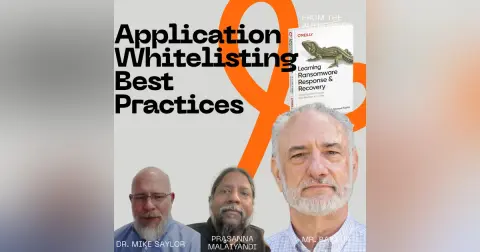
 Application whitelisting best practices can stop malware your antivirus never sees coming, but almost nobody follows them. Dr. Mike Saylor joins Prasanna and me to talk about why, and what it really takes to build an approved software list that sticks.
We start with SocGholish, a fake browser update campaign that’s been around since 2018. Every download is built just for the victim, so pattern-based tools can’t spot it. That’s exactly the kind of threat an approved software list shuts down.
Then we get into the hard part. You have to inventory every application in your environment, figure out who needs what, decide who pays for it, and build a process for exceptions. Mike explains why politics and overhead keep most companies from doing it. He also explains why shadow IT means your procurement process probably isn’t catching what you think it is.
We compare whitelisting with the simpler option of not letting users install software at all. We also talk about AppLocker, EDR policies, Office macros, MDM for mobile devices, and blocking executables in temp directories. Prasanna asks whether AI can take some of the friction out of software approvals, and Mike gives him a one-word answer. I also share a tip that makes the inventory step a lot less painful: run your whitelisting tool in audit-only mode first and let it build the list for you.
We wrap up with the good, better, best versions of this control. I tell a story about an old boss, Perl, and a bank policy that ended with him getting fired. And there’s a reminder that you will always need support from the top. Someone will always think they’re the exception, and senior management has to be willing to tell them they’re not.
If you’ve ever wondered whether locking down software installs is worth the fight, this episode is for you.
Chapters:
00:00:00 – Intro
00:01:30 – Welcome, Prasanna and Dr. Mike Saylor
00:02:37 – SocGholish and fake browser updates
00:04:57 – How often do companies really whitelist?
00:05:18 – Inventory, licensing, and exceptions
00:07:08 – Shadow IT and the $30 NDA
00:10:08 – Who actually does this
00:11:01 – Politics and overhead
00:12:12 – Just don’t let users install software
00:14:37 – AppLocker and EDR policies
00:15:47 – Can AI reduce the friction?
00:17:08 – Layered responses to a single threat
00:18:47 – Office macros and click-through users
00:20:49 – Is whitelisting a silver bullet?
00:21:29 – Signatures and the ideal whitelisting process
00:25:41 – Mobile devices and MDM
00:28:44 – Temp directories and executables
00:31:55 – How do you learn what you don’t know?
00:33:19 – Audit mode as your inventory
00:35:05 – AI agents, integrations, and CoSnitch
00:38:07 – Good, better, best
00:40:33 – The Perl story
00:43:21 – Final thoughts
What one practice could stop all new malware from getting
Speaker:installed in your environment?
Speaker:Today, Prasanna, Dr. Mike Saylor, and I, uh, talk about application whitelisting.
Speaker:We first start by talking about a, uh, an attack that tricks you
Speaker:into installing malware into your environment as a fake browser update.
Speaker:And unfortunately, a pattern-based, uh, malware detection tool wouldn't spot it.
Speaker:So we talk about what it takes to create an approved software list, the
Speaker:inventory, the politics, the exceptions, and the VP who thinks they're special.
Speaker:We also talk about audit mode, why your users shouldn't be able to
Speaker:install software anyway, even if you're not gonna use whitelisting.
Speaker:If this is your first time watching or listening to me, I'm W. Curtis
Speaker:Preston, AKA Mr. Backup, and I've been obsessing about backup and recovery,
Speaker:and now cyber recovery, for over thirty years, ever since I had to tell my
Speaker:boss that there were no backups of the database that we had just lost.
Speaker:Now I've written five O'Reilly books, a blog, and this podcast.
Speaker:Here, we turn unappreciated admins into cyber recovery heroes.
Speaker:This is the Backup Wrap-Up.
Speaker:Welcome to the Backup Wrap Up.
Speaker:I'm your host, W. Curtis Preston, AKA Mr. Backup, and I have with me
Speaker:the only reason that I remembered to press record, Prasanna Malaiyandi.
Speaker:How's it going, Prasanna?
Speaker:Good, Curtis.
Speaker:Remember some of the previous times that we've forgotten to hit record and
Speaker:Dude,
Speaker:minutes in and it's
Speaker:we've recorded
Speaker:we technically didn't record at that point, but yes.
Speaker:It's very depressing.
Speaker:You're like a half hour in and you're like, "We didn't press record." And
Speaker:you did let… And you're always like, it's like the fish that got away.
Speaker:That was some of our best work, right?
Speaker:then you realize never to be seen, the missing episodes,
Speaker:Yes
Speaker:speaking of missing, we got Dr. Mike Saylor.
Speaker:How's it going, Mike?
Speaker:Doing well.
Speaker:Glad to be here with two guys that still appreciate the value of good haircare
Speaker:It's a beautiful thing.
Speaker:Or at least half of me, values that.
Speaker:and, of course, Mike is the co-author of my, latest book here, Learning
Speaker:Ransomware Response and Recovery, available at a book retailer near you.
Speaker:and, I want… Before we start this, week's episode, I just wanted
Speaker:to, just talk about, there was a, there was a, an attack chain
Speaker:that's been out for quite a while.
Speaker:Mike, you said, eight years, right?
Speaker:2018 is
Speaker:Yeah.
Speaker:Yeah, it's, yeah.
Speaker:So it's called Sockghoulish, or also known as fake updates, and it's a
Speaker:JavaScript-based malware, and it tricks users into downloading malicious
Speaker:files by basically saying things like, "Your browser is out of date," right?
Speaker:And so you click here to update.
Speaker:you click here to update, and of course, it, the update is, a fake executable
Speaker:that is then, the, the only job of that update is to be a dropper, and then to
Speaker:establish presence, and then download the a- or download the actual, malware, right?
Speaker:The real problem is that this code, the reason why it was so malicious
Speaker:is that each executable that was downloaded was essentially created
Speaker:just for you, which is a term you go a lot into in the book, Mike, the,
Speaker:this idea of polymorphic ransomware.
Speaker:You wanna talk about that real quick?
Speaker:Yeah, polymorphic, in, in general terms, polymorphic means it continues to change.
Speaker:It's the same thing,
Speaker:different.
Speaker:Yeah
Speaker:and w- and what that means is that a typical pattern-based system
Speaker:that's looking for, typical malware isn't going to find it, right?
Speaker:and so the only way you're going to stop something like that is to do what
Speaker:we're talking about in this episode.
Speaker:Now, I will say that, b- and we're talking of course about
Speaker:application whitelisting, okay?
Speaker:But wait
Speaker:What?
Speaker:I don't think it's the only way, and I will constantly say
Speaker:this in every single episode.
Speaker:Okay, go ahead, Prasanna
Speaker:y- you know how you prevent these things from happening?
Speaker:Go ahead
Speaker:you disconnect yourself from the internet
Speaker:Sure.
Speaker:That,
Speaker:I'm just saying that is always…
Speaker:a way.
Speaker:Yes.
Speaker:there are, there are other similar te- not similar to that, but you can also
Speaker:do things like not allowing people to install and execute their own code, right?
Speaker:that is just an period, right?
Speaker:But this idea of application whitelisting, which we're gonna talk about, definitely
Speaker:something that people talk about.
Speaker:I don't think a lot of environments do it, and I'm curious, Mike, a-
Speaker:as a blue team person, how often do you see people doing whitelisting?
Speaker:Very often.
Speaker:Oh, very often.
Speaker:Okay.
Speaker:Wait.
Speaker:Oh, not very o- Oh, okay.
Speaker:I missed the not part there.
Speaker:the not was very important and I missed it
Speaker:and because it takes work.
Speaker:So the first thing you have to do is inventory your, the
Speaker:applications in your environment.
Speaker:I'm already bored
Speaker:and then you have to w- you have to sit with everybody to determine if
Speaker:it's a valid and that, it's trusted, it's supported, it's licensed.
Speaker:and then from there you've gotta determine, what's the
Speaker:use case to support that?
Speaker:and there's economics behind it, right?
Speaker:So if we're gonna whitelist this Adobe, does that mean everybody gets Adobe?
Speaker:And, how much does that cost?
Speaker:or, just this one person, it's a single use thing, right?
Speaker:Do we need to really buy a whole license because you need it for this one project?
Speaker:then, all right, so now we've got this approved list.
Speaker:Someone's gotta manage that.
Speaker:And then not only the approved list and the updates, but
Speaker:what about the exceptions?
Speaker:So now Bob in accounting needs some other application.
Speaker:What's the process for that?
Speaker:it just for Bob or is it for all of accounting?
Speaker:Is this an exception or should we add it to the list?
Speaker:So it's, it's, it's a significant change both from a maintenance, IT management
Speaker:maintenance perspective, but also culture.
Speaker:you've gotta have a work environment that, that supports restrictions
Speaker:But Mike, everything you talked about totally makes sense, and I get from
Speaker:an IT perspective it can be painful.
Speaker:But isn't some of this already, required?
Speaker:As an example, when Bob needs to go procure that one piece of software
Speaker:he needs, he's probably going through some process already today, right?
Speaker:Or when you're licensing out, Adobe to different people, right?
Speaker:You're not overbuying, right?
Speaker:They're probably giving you some justification, something else,
Speaker:and it's probably going through, finance or some other system, right?
Speaker:And outside of IT itself as well, right?
Speaker:You, you would think.
Speaker:so in well-established environments, you're
Speaker:you naive little person, Prasanna
Speaker:There, there are procedures.
Speaker:We will follow these things.
Speaker:But then we also have what we call s- it's shadow IT.
Speaker:It's
Speaker:right?
Speaker:stuff without involving the authority, over technology, which would be the IT
Speaker:department or at least your manager.
Speaker:So they're… They can't get approval for Adobe, so they're like, "You know what?
Speaker:It's only however much.
Speaker:I'll just buy it myself," or, "I'm going to school as a student, so
Speaker:I've got free access to Adobe Cloud, so I'm just gonna install it on my
Speaker:machine." That happens all the time.
Speaker:Yeah.
Speaker:And I…
Speaker:it often
Speaker:ahead
Speaker:depends on their relationship with IT is not easy to work with, people will
Speaker:often circumvent that, that interaction
Speaker:Yeah, I do remember a previous employer where the, the policy was that is exactly
Speaker:what you said, Prasanna, that you had to go through a procurement process.
Speaker:You were not allowed to install, software that was not, that was not on,
Speaker:that, that had not gone through their vetting process, which as I recall,
Speaker:involved a mutual NDA signing, which was always fun with a new vendor, right?
Speaker:d- you're gonna… This particular company, they wanted a, a full NDA
Speaker:between the two companies so they could buy a $30 piece of software.
Speaker:it was, know, you talk about easy to work with.
Speaker:The… A- and yet, the same company is the same company that we interviewed
Speaker:that told us that they had 400 SaaS
Speaker:Cloud applications.
Speaker:Yep
Speaker:in, production.
Speaker:And, so yeah, so I… The, the, so you said, Mike, is true, right?
Speaker:The, the real problem starts with the, you have to first, before you do
Speaker:anything, you've gotta do this inventory.
Speaker:And it's just it's so many other things that we talk about, that A, you ha- it,
Speaker:it has to come from the top down, right?
Speaker:and it ha- you have to have support because you will ultimately get pushback.
Speaker:I literally j- I just finished e- editing an episode where you talked
Speaker:about that the problem is that you get to that, you get to that, that situation
Speaker:where some part of the company is being inconvenienced, and then they're like,
Speaker:"Oh, turn this back on." And you're like, "Okay, I like my job more than I like,
Speaker:doing it correctly." And so they, so you just, you end up giving in, right?
Speaker:And so it's a lot easier not to do this, but it's just it's also
Speaker:a lot easier to develop a backup system or a DR system without
Speaker:collecting any requirements, right?
Speaker:It's very easy to do that.
Speaker:everything and keep it forever
Speaker:Yeah, exactly, right?
Speaker:and and
Speaker:what we're talking about here is a best practice.
Speaker:I'm curious, you said you, you don't see it very much.
Speaker:Do you see it in any particular type of companies, perhaps
Speaker:highly regulated, companies?
Speaker:Regulated or, I was gonna say regulated or publicly traded, or
Speaker:those preparing to be acquired.
Speaker:They've gotta want to, they wanna look good a due diligence perspective.
Speaker:So yeah, it's those that, that, wanna be perceived or graded, as,
Speaker:having good hygiene and good controls
Speaker:But Mike, w- like, why is this such a problem?
Speaker:there is a lot of benefits for understanding, what's out there,
Speaker:if there are vulnerabilities, and, what people are using out
Speaker:there, what even the licenses are.
Speaker:Maybe you have three different things which are being used for photo editing.
Speaker:It's like, do you really need three…
Speaker:to pay for three separate license packages for the same thing
Speaker:from, a cost savings perspective?
Speaker:Like, why is it such, like, taboo or so difficult to just go and
Speaker:be like, "Hey, I just need to know, what you're using and why"?
Speaker:Politics and overhead.
Speaker:So the politics part are, that's the, we are gonna govern you, some companies,
Speaker:population don't wanna be governed.
Speaker:so yeah, it's none of your business what I'm running on
Speaker:my laptop, what I need to use.
Speaker:so politics is probably the biggest one.
Speaker:The, and either tied for or in second place would be
Speaker:bandwidth, resource bandwidth.
Speaker:So now somebody ha- this has gotta be somebody's job to manage this.
Speaker:It can't just be a… it can be a point in time thing justify the need
Speaker:for ongoing management of it, but if you're gonna implement whitelisting,
Speaker:that's gotta be part of someone's job
Speaker:I'm gonna assume, I think this is gonna be correct.
Speaker:can… Let's say we can inventory, we can start somewhere where we
Speaker:can say we're going to do this person, or this department, and we
Speaker:can turn on this whitelisting only on the computers that they use.
Speaker:We should be able to do that, right?
Speaker:Yeah.
Speaker:yeah.
Speaker:more complications, Curtis, and now you're gonna have to worry
Speaker:about one person versus another and
Speaker:yeah.
Speaker:the, but the problem is… Go ahead
Speaker:thing to do is don't allow users to install their own stuff.
Speaker:You mentioned this as a mitigating control for getting malware.
Speaker:if the profile I'm using, I'm logged in as, doesn't have the ability to install
Speaker:stuff, whitelisting, though it's still important, there's a lot of value,
Speaker:you alluded to some of them, cost and license management and all that, but
Speaker:also backups and patches and… But if I can't install stuff as a user,
Speaker:then the stuff on my computer should only be there because IT put it there
Speaker:Mike, how long does that last before some engineer somewhere goes and complains
Speaker:to a VP that, "Hey, I was not able to ship this feature or do my job because
Speaker:IT said I can't install something"?
Speaker:And by the way, yeah
Speaker:there's always, exceptions.
Speaker:And by the way, management is usually also one of those exceptions.
Speaker:management wants to be able to install stuff whenever they want.
Speaker:you saw that in the military a lot too.
Speaker:But, engineers, or developers, a lot of their tools require them to be able to
Speaker:run as admin to make full use of resources on their computer and that kind of thing.
Speaker:So obviously, there's gonna be a, there's gonna be an exception
Speaker:for different types of users
Speaker:It's- I'd say that,
Speaker:of software
Speaker:I'd say that these two methods, the idea of, turning off the ability to
Speaker:install your own software and developing a complete list of approved software,
Speaker:I'd say the f- the, the, the turning off the ability to install software is
Speaker:probably easier, and yet they both have challenges to the environment, right?
Speaker:you talked about… So the, 'cause the problem, it's pretty easy to push out
Speaker:a, to push out an update that sa- that says, "Nobody's allowed to install
Speaker:their own software anymore," right?
Speaker:Only administrators can install software, and also you'd have to
Speaker:change it so that everybody… 'Cause
Speaker:Do it
Speaker:I've been in, environments where said only administrators can
Speaker:install software, but then they make everybody administrator, right?
Speaker:the problem with that is now every time I need a piece of software, I
Speaker:have to go to IT, which is the same effect the whitelisting, right?
Speaker:Except that it's just a different, it's just a different process, right?
Speaker:Different gate.
Speaker:Yes.
Speaker:It's a different gate
Speaker:yeah.
Speaker:a very similar, result.
Speaker:So l- let's just talk about, so if we were going to do this, there is a tool called,
Speaker:Microsoft AppLocker, and there's also, you've got obviously EDR policies that you
Speaker:could push out assuming you… obviously this has to start with having an EDR
Speaker:tool pushed out to every endpoint, right?
Speaker:we can either establish policies there or we can use something
Speaker:like Microsoft, AppLocker.
Speaker:Do you know if there's a- an equivalent in the Mac world?
Speaker:No, it would have to be some kind of middleware,
Speaker:Yeah
Speaker:thing, a Samba-type middleware
Speaker:and
Speaker:can I go back?
Speaker:Can I go back?
Speaker:Yeah
Speaker:Okay.
Speaker:So I have a question.
Speaker:So we said that people can install app, or with the first option, not
Speaker:the second option where you whitelist, but the first option where you don't
Speaker:allow apps to be installed, right?
Speaker:And then this causes difficulties because then they have to reach out to IT and
Speaker:ask and everything else like that.
Speaker:And I get that a lot of IT departments are overwhelmed with everything else
Speaker:they have, and so lead times are long.
Speaker:Do you think with sort of a lot of the AI tooling that's out there, that a
Speaker:lot of this can quickly be automated, applying company policies, et cetera,
Speaker:to reduce some of that friction while still ensuring that there is some level
Speaker:of scrutiny, protection, et cetera, on what someone may be installing
Speaker:on their device without requiring the full application whitelisting
Speaker:that Curtis was just talking about?
Speaker:No.
Speaker:What?
Speaker:say no.
Speaker:The, the less, privilege you give a user, the more secure you're
Speaker:gonna… that endpoint's gonna be.
Speaker:even with AI, we allow AI to determine if installing this thing
Speaker:is okay, you're still relying on the current knowledge of that AI.
Speaker:That could still be a bad software or have a vulnerability that
Speaker:introduce, it's introduced to that endpoint or that, that environment.
Speaker:or it conflicts.
Speaker:you're installing something that's gonna make something else stop working.
Speaker:AI's not gonna be fully aware of all those things.
Speaker:and, it could be a legitimate application, but they're downloading
Speaker:it from an illegitimate site.
Speaker:If I could interject very quickly.
Speaker:going back to the SOC Gaullish attack vector
Speaker:that, that attack campaign is designed at trying to phish users into
Speaker:installing an update to their browser.
Speaker:The way that comes in, obviously, if we're blocking a user profile's
Speaker:ability to install stuff, good, that mitigates the threat.
Speaker:But if we don't, activity that malware takes is it uses the Windows
Speaker:default application, registry for a Java file to open it with Notepad.
Speaker:That activity is then what spawns other stuff.
Speaker:And so understanding… So we're getting-- where I'm going with this is understanding
Speaker:the particulars of a given threat and how it impacts your environment will drive
Speaker:both administrative and technical policy.
Speaker:So administratively, we need to block people from being able to install stuff.
Speaker:Technically, we need to change the way Windows and Mac machines open
Speaker:Java files as an… So just as an example, I wanted to bring that up.
Speaker:There's more to-- There, there's not one… there's typically not
Speaker:one answer to a given threat.
Speaker:It's truly understanding the threat to realize potentially a multitude
Speaker:of things that need to be done
Speaker:There's, there, there are, there are a number of types of files that, we have
Speaker:to be d- d… I think this is a very interesting episode because we barely
Speaker:yet, we barely started talking about actually doing application whitelisting.
Speaker:We're talking about everything else.
Speaker:but the, like for example, educating users that they should not be
Speaker:opening Microsoft Office files with macros enabled unless they're the
Speaker:ones that created those macros.
Speaker:that in general, like everyday average users d- I'm j- I'm gonna say
Speaker:everyday average users don't create documents with macros in them, right?
Speaker:It's only like power users that are doing that.
Speaker:So you should have that
Speaker:other people's documents that have macros in them.
Speaker:Yes, and those macros can do the kinds of things that we're talking about.
Speaker:What was that?
Speaker:do they even know what a macro is?
Speaker:Yeah, they don't.
Speaker:And again, this
Speaker:I've gotta get this file open.
Speaker:I'm just gonna click through all these pop-up messages until I
Speaker:can look at this spreadsheet."
Speaker:Yeah.
Speaker:and that's probably another thing that we can disable
Speaker:Yeah, disable with a policy.
Speaker:I, I-- when I say a policy, I mean a, I don't know what you would
Speaker:call it, like a registry entry, not, I don't mean just an IT policy
Speaker:and a lot of organizations today deploy their Office software
Speaker:from Office 365 licenses.
Speaker:And in
Speaker:Right
Speaker:365 tenant, you can change settings that filter down to all of your users.
Speaker:So the next time they're on the internet, they're getting that policy
Speaker:update across all their locally installed Office applications.
Speaker:if, like just today, I opened a document and across the top it, it
Speaker:gave me a yellow bar, a l- a yellow banner that I had to acknowledge
Speaker:if I wanted something to happen.
Speaker:And so a normal user is just gonna go, "Whatever," click, and
Speaker:Yeah.
Speaker:the banner.
Speaker:Yeah
Speaker:"How come I can't edit this field? Oh, it's that banner," click.
Speaker:and so it needs to come with awareness and training too
Speaker:Yeah.
Speaker:I th- I think that's true of all of this.
Speaker:All right, I'm just trying to think.
Speaker:all right, let's get back to the topic at hand.
Speaker:whitelisting
Speaker:application whitelisting.
Speaker:Or allow listing, I think
Speaker:yeah, I do think it's a bit of a silver bullet in that, if you, if no one can
Speaker:install applications that aren't on this approved list, and that's stopped
Speaker:from a, both a policy and a, and a technology perspective, it is a bit of
Speaker:a silver bullet for preventing malware.
Speaker:Yes or no?
Speaker:If you say it depends, I'm ending this episode
Speaker:It is a bit of a silver, silver bullet, yes.
Speaker:Okay.
Speaker:All right
Speaker:silver bullet
Speaker:Okay.
Speaker:W- wow.
Speaker:I, I, that sounded not good, 'cause I know what a .22 caliber bullet is.
Speaker:Anyway, is it a .22 caliber rifle bullet?
Speaker:but when you… So I have a question about the technicalities
Speaker:of application allow listing.
Speaker:Yeah
Speaker:you allow list an application, say it is Adobe, and your IT policy says, "Okay, we
Speaker:will allow Adobe to be installed," do you specify where that Adobe can be downloaded
Speaker:from, what version can be downloaded?
Speaker:Or is it just saying, "Here's an Adobe executable," maybe there's a signature
Speaker:attached to it that was generated and therefore only that Adobe installer with
Speaker:that signature is allowed to be installed?
Speaker:'Cause I'm just going through my mind and thinking like, say, like
Speaker:the use case you brought up, Mike.
Speaker:walk through the, if
Speaker:Yeah.
Speaker:through the ideal
Speaker:Yeah.
Speaker:of whitelisting
Speaker:Company policy that says we're gonna do it.
Speaker:So management approved, management supported.
Speaker:We've now got a policy and a procedure approved by management.
Speaker:We take an inventory of all of our assets.
Speaker:We go through the analysis of what we want, what's approved, what we don't
Speaker:want, and what the exceptions are, right?
Speaker:So we do that
Speaker:from that list, now we can build a baseline too.
Speaker:So what does everybody need?
Speaker:We'll put that in our build images.
Speaker:What is a department or a user need?
Speaker:And we'll make that available for that user.
Speaker:In our policy, we are going to define that users cannot install their own stuff.
Speaker:So we're not gonna allow them to go out and install what they think is
Speaker:the right or approved or safe version of some software on the white list.
Speaker:means they can ask us to do it, or we'll pre-build it when they
Speaker:get hired or that new device.
Speaker:All right, so now we've got this inventory.
Speaker:That inventory is then gonna be aligned with our patch management
Speaker:policy, on the Windows side and what, our current tools can patch
Speaker:from a third-party tool perspective.
Speaker:what… And then identifying then, what else do I need to subscribe to make sure
Speaker:we're up to date or current on updates and patches available to the other software?
Speaker:So there's the management part.
Speaker:right.
Speaker:then where is the data stored for these different applications?
Speaker:Is it a cloud-based?
Speaker:I've got to log into it through a, a browser?
Speaker:so there's a local client or license, but where's my data?
Speaker:Is it stored in the cloud?
Speaker:Is it stored locally?
Speaker:What folders are my, are my related data stored in?
Speaker:And that needs to be incorporated into our backup policy, especially if
Speaker:it's some critical process or user.
Speaker:All right, then how do we recover?
Speaker:A particular application, if it becomes corrupt or, we need to migrate that user
Speaker:to a different machine, what's our process for migrating a license or the data?
Speaker:So there's that whole incident help desk perspective.
Speaker:then on the back end of that, from a support perspective, Curtis calls and
Speaker:says, "Hey, I'm new here," or, "I've been here for a while," either case,
Speaker:"I need this software." Is that… how do we get that software to Curtis?
Speaker:Is that a ticket and we remote in and install it?
Speaker:Do we have to show up?
Speaker:Or can I give him a link now he's got access to an approved location repository
Speaker:or the website itself, to pull that down and either, if he's not restricted to do
Speaker:so, he could install it or let us know when it's there and we'll take care of it.
Speaker:And then there's the automated way of pushing it out through Microsoft tools
Speaker:that can do batch processes and stuff
Speaker:Yeah.
Speaker:w- what I didn't hear in there was one part of what Prasanna said is this idea
Speaker:of there being a signature for each of these tools to make sure that whatever
Speaker:does get installed is the version that we had intended to be installed.
Speaker:can that be part of it?
Speaker:It is, and that's, that would, I didn't speak to it specifically, but the known
Speaker:trusted locations or versions of software.
Speaker:Right
Speaker:right now we're speaking specifically about, PCs and laptops.
Speaker:You would wanna do the same thing with company-owned mobile devices.
Speaker:You can create a company store account in the Google and, Apple stores and define
Speaker:the applications that are acceptable or approved, or you can use a mobile
Speaker:device management solution, and that software gets installed on the device,
Speaker:and then it usually has its own play store for approved applications that can
Speaker:Yeah, I've seen that, that second one very commonly again, because it's still, I
Speaker:think, tell me if you've seen differently.
Speaker:What I've seen more common is that users are allowed to bring their own devices,
Speaker:but in a, an environment that carries very much, they put an MDM solution on
Speaker:there so that any company data stays within that, particular, virtual area.
Speaker:Prasanna, you look like you wanted to say something
Speaker:yeah, and, Mike, I'm glad you brought up the mobile aspect.
Speaker:Do you feel that application allowlisting is more accepted on
Speaker:mobile devices than on, PCs and laptops from a user perspective?
Speaker:Do you see that being more common than
Speaker:for company-owned mobile devices, you kinda don't have a choice.
Speaker:and I don't remember hearing much complaining about that because
Speaker:it's your company… You've still got your personal device.
Speaker:The company device is for company stuff.
Speaker:But if it's a bring your own device, and then we're gonna restrict you from
Speaker:what you can install, then they're just not gonna use it for company
Speaker:Yeah.
Speaker:rather have autonomy on their personal device than being able to get email
Speaker:on that device and not being able to
Speaker:Yeah.
Speaker:and I think,
Speaker:it… S-
Speaker:oh
Speaker:Prasanna, but that's where the MDM comes in, right?
Speaker:So that basically anything company-wide stays within that
Speaker:bubble, and you can do whatever you want on the rest of your phone.
Speaker:Is that…
Speaker:But what
Speaker:That does solve that issue, Mike?
Speaker:Yeah.
Speaker:But Mike, more specifically though, why are people okay with corporate
Speaker:devices having this allow listed, application, that they're allowed
Speaker:to install, versus why is there so much pushback when it comes to like
Speaker:their laptop or their desktops?
Speaker:Like it seems like they, they're both company owned, right?
Speaker:And so why is it okay for
Speaker:you, don't have your personal laptop in your pocket or… So you don't have your
Speaker:home computer with you all the time.
Speaker:You've got your personal phone with you everywhere.
Speaker:So if you can't do what you want on the work phone, it's okay,
Speaker:I still have my personal phone.
Speaker:But if I can't do my personal stuff on my laptop, I don't have
Speaker:my personal laptop with me at work.
Speaker:So it's
Speaker:Are you suggesting, Mike, that some people do personal stuff on their work laptop?
Speaker:I
Speaker:Say it isn't
Speaker:102% that everybody in the world has done personal stuff on a company laptop
Speaker:Yeah.
Speaker:so one thing we haven't talked about already, a- and this would, this fits
Speaker:very much into the same, world, is not just limiting… And again, these
Speaker:are all choices that you can do.
Speaker:you do one, one, all three of them, whatever.
Speaker:But one thing that we haven't talked about is the idea of definitely
Speaker:cannot install applications in, temporary directories, right?
Speaker:because that is what these, these drive-by, malware, I, I, the word's
Speaker:not coming out right, but this is what these are, these… But dang
Speaker:it, finish my sentence for me, Mike.
Speaker:You know what I'm trying to say
Speaker:those are the tactics of drive-by malware
Speaker:you
Speaker:some of these, these phishing tactics.
Speaker:They're- they've gotta put the dropper file in, a place that the
Speaker:system or root, would be able to pick it up without conflicting
Speaker:with the logged in user profile
Speaker:W- we don't let them do it in temporary directories.
Speaker:Can we also say don't let them put executables in their personal directory?
Speaker:Would restrict users from doing anything with executables,
Speaker:like a true EXE file for sure.
Speaker:but then depending on the capabilities that you have, even Microsoft
Speaker:Defender, which, it comes with Office 365, has some capabilities of
Speaker:limiting activities, across different folders in a Windows environment.
Speaker:Certain computers have BIOS settings, like tr- TPM settings.
Speaker:then, on top of that, Windows has the ability to lock down critical folders.
Speaker:This is just a setting.
Speaker:It comes with every, every Windows All right, then on top of that you
Speaker:have an endpoint protection solution, whether that's Defender or something
Speaker:more, more capable like Huntress.
Speaker:now we have policy.
Speaker:and so just putting layers… And that's the key to all of cyber is layers.
Speaker:Oh.
Speaker:Those policies can then extrapolate behavior based… and some of these have
Speaker:AI built into them, like Huntress has AI, so it'll sandbox and look at behavior.
Speaker:And so at the fundamental level, everything that we use today has settings.
Speaker:You just need to go learn about them and how to use them.
Speaker:And then for those environments where you wanna mitigate risk further,
Speaker:we'll start looking at technologies that you can put on top of that.
Speaker:a lot of them are affordable, but they all start with what does
Speaker:this user need to have access to?
Speaker:And that's, that includes what we've been talking about here
Speaker:with application whitelisting.
Speaker:Write a policy for that.
Speaker:Users don't need to install stuff.
Speaker:But then, all right, so can I tr- can I turn this Windows security
Speaker:feature on so that a user can't go double-click into the system 32 folder?
Speaker:A user can't install stuff into a, a system folder.
Speaker:A user can't execute, or download or take action on an executable file.
Speaker:That's all
Speaker:Right
Speaker:gotta work that at the company cultural level first, and then the technical level.
Speaker:But Mike
Speaker:there, there are a lot of ways that you can prevent malware
Speaker:from triggering in a workstation
Speaker:So it seems there's so many different settings, but you need to know they exist.
Speaker:If I'm an IT person and I have no idea these settings exist, what do I do?
Speaker:Do I just give up and curl up into the fetal position because I'll
Speaker:never be able to do all these things?
Speaker:how do I know what I don't know, right?
Speaker:Or how do I learn the things I don't know?
Speaker:I use a phrase I learned from Ken Shamrock back in my ultimate fighting days.
Speaker:He would say… So he would ask you a question and you're like, "I don't
Speaker:know." He would go, "You don't know?
Speaker:You better call somebody." And that's re- and that's really the point.
Speaker:You don't have to do this alone.
Speaker:And this, and there's no way you could, 'cause you could be a Microsoft expert
Speaker:today and, or I'll say last week because they pushed out some changes this week,
Speaker:and you're like, "What the heck is that?" But there is free training as an
Speaker:admin in the Off- Office 365 portal, and there's also free training for users.
Speaker:But you know what?
Speaker:Nobody knows it's there.
Speaker:so as an admin, go to your admin portal, look for the training, take the admin
Speaker:training, and in the admin training it tells you how to push out user training.
Speaker:That's also free.
Speaker:But, especially in the US, we're such a society of we've gotta have
Speaker:the latest and greatest and we need it now, and we're just gonna turn
Speaker:it on and we'll figure it out on the fly, without reading the instructions
Speaker:Yeah.
Speaker:turtas,
Speaker:the way, but bef-
Speaker:turtas
Speaker:Oh.
Speaker:I was just gonna say that, that one, one thing we haven't talked about, if
Speaker:you're going to consider implementing a whitelisting, tool, one of the things
Speaker:that you can do is you can implement it in audit only mode, so that it
Speaker:can see what is currently being run.
Speaker:And you could run that as long as you want to.
Speaker:You're like, for an entire year, these are the applications that have
Speaker:been running in this environment.
Speaker:there's no harm in turning that on, right?
Speaker:and so you could, y- you could start with that as your inventory.
Speaker:You don't have to do this, this big giant meeting thing.
Speaker:You could, you just run it and let it collect that information for you.
Speaker:I think what's gonna happen if you do that, you're gonna find 17,000
Speaker:applications are running in your environment, and then you're gonna…
Speaker:At least you can go in eyes open, right?
Speaker:You can say, "Okay…" Go ahead.
Speaker:a lot of them you don't even know about, like .NET and Java and
Speaker:Yeah
Speaker:there, there's all those kind of foundational applications that are
Speaker:installed either by default or by some other app that needs that underneath it.
Speaker:and maybe you don't need that app anymore, but you didn't install all the other--
Speaker:you didn't remove all the other stuff too.
Speaker:So that inventory is very eye-opening from a what I see as an icon on my
Speaker:screen, but all the stuff that those apps need from a framework perspective.
Speaker:You can use that then to go and talk to management.
Speaker:"Look, this isn't just about risk, it's about cost. about licensing and
Speaker:support and patches and backups and user happiness and all these great things."
Speaker:do we care if the users are happy?
Speaker:than what the IT help desk does
Speaker:That's true.
Speaker:I, I d- a related topic that I thought I'd bring up here right at the end is
Speaker:there's a new of tool that's available to us, tools like CoWork, right?
Speaker:Where we have this, this AI tool that we're using, and now with a few mouse
Speaker:clicks, I can give, my AI, my favorite AI tool the ability to do stuff on my laptop,
Speaker:and it's gonna be executing via the same APIs that I'm already using, right?
Speaker:So I just authenticate it with, I'm a Google person, so I authenticate it with
Speaker:Google Drive and with Gmail and whatnot.
Speaker:then, I don't think… I don't know how you would stop or
Speaker:even know that's happening.
Speaker:D- do you know, Mike?
Speaker:if it's connected or integrated with your environment, especially Office 365,
Speaker:you'll see those, those integrations.
Speaker:right.
Speaker:Yeah, yeah, I g- I guess I was thinking it from, a company perspective, right?
Speaker:But you're right.
Speaker:If it is a company, gonna see that in the integrations tabs
Speaker:of the, of Google, right?
Speaker:or whatever it is you're using, like 365
Speaker:Just recently, in fact, I'm in the middle of writing a threat brief
Speaker:right now, that there is a, there's a new threat approach called CoSnitch.
Speaker:So it's a phis- a phishing campaign where a user would interact with his
Speaker:email, and once you do, it deploys code that will give third-party threat
Speaker:actors access to your personal Copilot
Speaker:Oh, wow
Speaker:Yay
Speaker:That's scary
Speaker:So in a company environment, you've got Copilot Personal, the unlicensed
Speaker:enterprise version, and then the
Speaker:Right
Speaker:Enterprise version.
Speaker:Both of them have been patched as of, I think, Friday.
Speaker:But anything that happened… So this, this attack's been
Speaker:around for a couple of weeks now.
Speaker:So if it, if they phished somebody last Monday, that integration
Speaker:still exists even after the patch.
Speaker:It just means it can't happen today.
Speaker:Yeah
Speaker:you've gotta go back and audit and the document, the threat advisory
Speaker:talks about where to go look, but very similar to Your comment, Curtis,
Speaker:you need to go look at those things.
Speaker:And
Speaker:Yeah
Speaker:on a periodic basis,
Speaker:I do know that, my last employer, they did… They were a 365 customer,
Speaker:and they had a very strict, if you wanted to install something that
Speaker:integrated with 365, it had to go to meaning IT had to, look at it.
Speaker:You couldn't just install an application that worked with 365, which at least
Speaker:they were… an app listing type… Or sorry, it's a whitelisting type,
Speaker:What's SaaS?
Speaker:I don't… Yeah, process.
Speaker:Yeah, definitely.
Speaker:There you go.
Speaker:Sometimes the words just don't come to me.
Speaker:all right.
Speaker:So we've got a couple of different things that we talked about here.
Speaker:we talked about not allowing installation in temp directories and things like
Speaker:that, which I think is, a really strong thing that we should be looking at.
Speaker:We talked about, and these are good, better, best.
Speaker:would be just don't allow people to install software, period.
Speaker:But realizing that turning on that, turning on the…
Speaker:two, you're going to have a cybersecurity mindset in the company, and you're
Speaker:gonna have to have support from senior management because there will… and
Speaker:there will always be someone who feels they are more important than the process,
Speaker:and that they should be the exception.
Speaker:And you either have to have a process for that exception, or you have to
Speaker:send them to senior management, and senior management have to say, "Hey,
Speaker:you're not that special." so we either tell them to… they can't install
Speaker:software, period, or we tell them that, let me… Actually, let me ask this.
Speaker:If we're gonna do, allow listing or whitelisting, if we're gonna do that,
Speaker:doesn't that, that automatically means that we're not allowing users
Speaker:to install their own applications?
Speaker:Or is what… Is it this is you do one or the other?
Speaker:Yeah, I've seen an evolu- several evolutions of that we've defined… So
Speaker:kind of the, the weak, diluted version of this control would be we've defined
Speaker:a, an approved list don't misbehave.
Speaker:audit this every now and then, and if we find you're in violation, there's
Speaker:some kind of punishment for that.
Speaker:and then there's the kind of the middle ground where, you know,
Speaker:all the installations have to come through IT, but we still aren't
Speaker:limiting you as, to a, a normal user.
Speaker:You still have admin rights or what have you.
Speaker:But the best, application list control would be, no privileged
Speaker:access on the endpoint, for users.
Speaker:a white list of approved stuff that we've already gone through, and IT
Speaker:has to be the one to, to install it.
Speaker:'Cause they're often the ones that have to procure it also.
Speaker:And so that's gonna, that's gonna the risk of users buying their own
Speaker:software, and potentially buying it from an illegitimate site
Speaker:Yeah, I, I'm now flashing back to an employer many years ago
Speaker:And we had this policy, right?
Speaker:The policy was all software had to be purchased from an
Speaker:established vendor, right?
Speaker:Meaning, one of the ones that we're already doing business with.
Speaker:And what that… That automatically precluded a, a lot of things,
Speaker:which included things like open source software, if it was a very
Speaker:useful of open source software.
Speaker:One of the ones that I remember, again, this is 30 years ago, a really
Speaker:op- a really useful piece of software that we wanted was NTP, right?
Speaker:Because we had… None of the servers the same time as each other, right?
Speaker:So we really wanted to do, use network time protocol.
Speaker:we had a boss that… We got a new boss in our, meaning just my direct
Speaker:manager, and he thought this was a stupid policy, So this is going back
Speaker:to, you've got to have support, right?
Speaker:So he thought this was a stupid policy, and he told me to install… He wanted
Speaker:to install Perl, Again, great tool, but we couldn't purchase it from an
Speaker:established vendor at the time, so it was therefore in violation of bank
Speaker:policy, and he told me to install it.
Speaker:And I said, "I'm not going to install it." and he said, he said, put in,
Speaker:put in a, a request the software and see if we can get approval." And I
Speaker:put in the request, and I put him as appro- I put him as the requester.
Speaker:And he said, "Don't put me as a requester." I'm like, you're the one
Speaker:requesting it." said, "Yeah, but if you put me as a requester, then I can't
Speaker:approve it." okay, so you're telling me that I… That you want me to
Speaker:request you to install this software.
Speaker:Okay." so I… Then I'm like, requesting it isn't a violation of anything, so I
Speaker:can ask for anything. So I'm like, "Fine.
Speaker:You know what?
Speaker:Fine." So I requested to install Perl, and I put in the line,
Speaker:"So that all production…"
Speaker:I said, "Re- request permission to install Perl in this directory,"
Speaker:which was our primary file server, "so that all production servers can
Speaker:access it." And then he approved
Speaker:Tonight
Speaker:and then I, and then he got fired the next day.
Speaker:Anyway, this is what happens when you violate policy Anyway,
Speaker:where were you going, Prasanna?
Speaker:No, that, I was like, "Yeah, I'm pretty sure he got fired
Speaker:yeah.
Speaker:yeah, so you have to have support.
Speaker:And in that case, I had support from on high, but I didn't have support from
Speaker:down low And when you get that person that wants to do their own thing, you
Speaker:have to have that support from on high.
Speaker:If you've got a CEO who says, I'm not gonna do it," there, there's
Speaker:only so much you can do, right?
Speaker:Yeah.
Speaker:Any final thoughts, Prasanna?
Speaker:The… No, I know we get into these episodes talking about, what you could
Speaker:do to protect yourselves, but then I also hear Mike talk about, yes, there
Speaker:is the ideal, but a lot of companies and clients he works with may not
Speaker:always be doing the best practices.
Speaker:so I think for our listeners, it's just important to understand,
Speaker:these are tools in your toolbox.
Speaker:You are not gonna use everything all the time, but there are certain
Speaker:scenarios that you should be using these tools, and just being aware
Speaker:of it is useful even if you cannot implement it in your current environment
Speaker:Yeah, I'm hoping that somewhere out there is an environment that never really
Speaker:thought of how valuable the idea of, having an approved list of software that
Speaker:only that software can be installed, that never really thought of that as
Speaker:the incredibly powerful tool that it is.
Speaker:and there's one person that says, "You know what?
Speaker:We can do it.
Speaker:We're only five people, and we're gonna do this for our company." then, then
Speaker:we- then we've helped somebody, right?
Speaker:So hopefully you've picked up something in this episode of some way
Speaker:that you can limit the ability for users to just install whatever that
Speaker:they want, which I think is the most common implementation that see, Mike?
Speaker:That's what you see out there in the wild most of the time, right?
Speaker:right
Speaker:Yeah.
Speaker:So if we can take, of our 25 listeners, if one of them, does that, then hey,
Speaker:we've helped, fif- I can't do math, 4% of
Speaker:Per person.
Speaker:Yes.
Speaker:Yeah.
Speaker:Yeah.
Speaker:all right.
Speaker:thanks Mike.
Speaker:With… and also, th- it was a, you limited the number of
Speaker:it depends in this episode, but
Speaker:I've r- I've really tried.
Speaker:I will tell a story though.
Speaker:go ahead
Speaker:y- we were talking about exceptions and, to, to management, you're just a user.
Speaker:I was at a FBI event, and I was listening to some local police chiefs
Speaker:on a panel about how they dealt with, VIPs from the World Cup and traffic.
Speaker:And so this, this VIP, his whole entourage, his manager, all this stuff,
Speaker:had been working with the local police department, for getting him through
Speaker:traffic from, downtown Dallas out to, another city, Arlington, where one of the
Speaker:games was, and they were stuck in traffic.
Speaker:because in a lot of cases, especially on the highways,
Speaker:that's not city jurisdiction.
Speaker:that's state or a federal highway.
Speaker:So that's either Texas Department of Motor Vehicles or the State
Speaker:Department of Transportation.
Speaker:And, this chief was actually in the vehicle with this dude, this guy,
Speaker:he's like, "I thought, you were gonna treat me like a VIP." He's like,
Speaker:"I am treating you like a V- VIP."
Speaker:He goes, "But I'm stuck in traffic." He goes, "Dude," he g- or he goes, "Man,
Speaker:I can help you in the city, but when we get out on the highway, DOT just
Speaker:thinks of you as just another dude.
Speaker:You're just another dude."
Speaker:That is funny.
Speaker:Yeah.
Speaker:was
Speaker:I will again, say one of my favorite phrases is that
Speaker:there's only two industries that refer their customers as users
Speaker:Oh.
Speaker:There's us and the drug dealers.
Speaker:I'm just saying.
Speaker:Yeah.
Speaker:Anyway,
Speaker:Yeah.
Speaker:and with that, I will say that is a wrap.
Speaker:The Backup Wrap Up is written, recorded, and produced by me, W. Curtis Preston.
Speaker:If you need backup or DR consulting, content generation, or expert witness
Speaker:work, check out backupcentral.com.
Speaker:You can also find links for my O'Reilly books on the same website.
Speaker:Remember, this is an independent podcast, and any opinions that
Speaker:you hear are those of the speaker and not necessarily an employer.
Speaker:Thanks for listening